5
SETUP
PART 3: PERSONALIZE
You’re now ready to begin personalizing your TiVo Stream 4K experience.
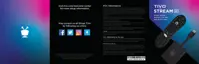
CHOOSE YOUR FAVORITES
First, you’ll be asked to choose your favorite from pairs of shows. These
choices tell the TiVo Stream app what kinds of programs it should show you
first. The more of these pairs you rate, the more your TiVo Stream
experience will be geared toward your specific tastes and interests.
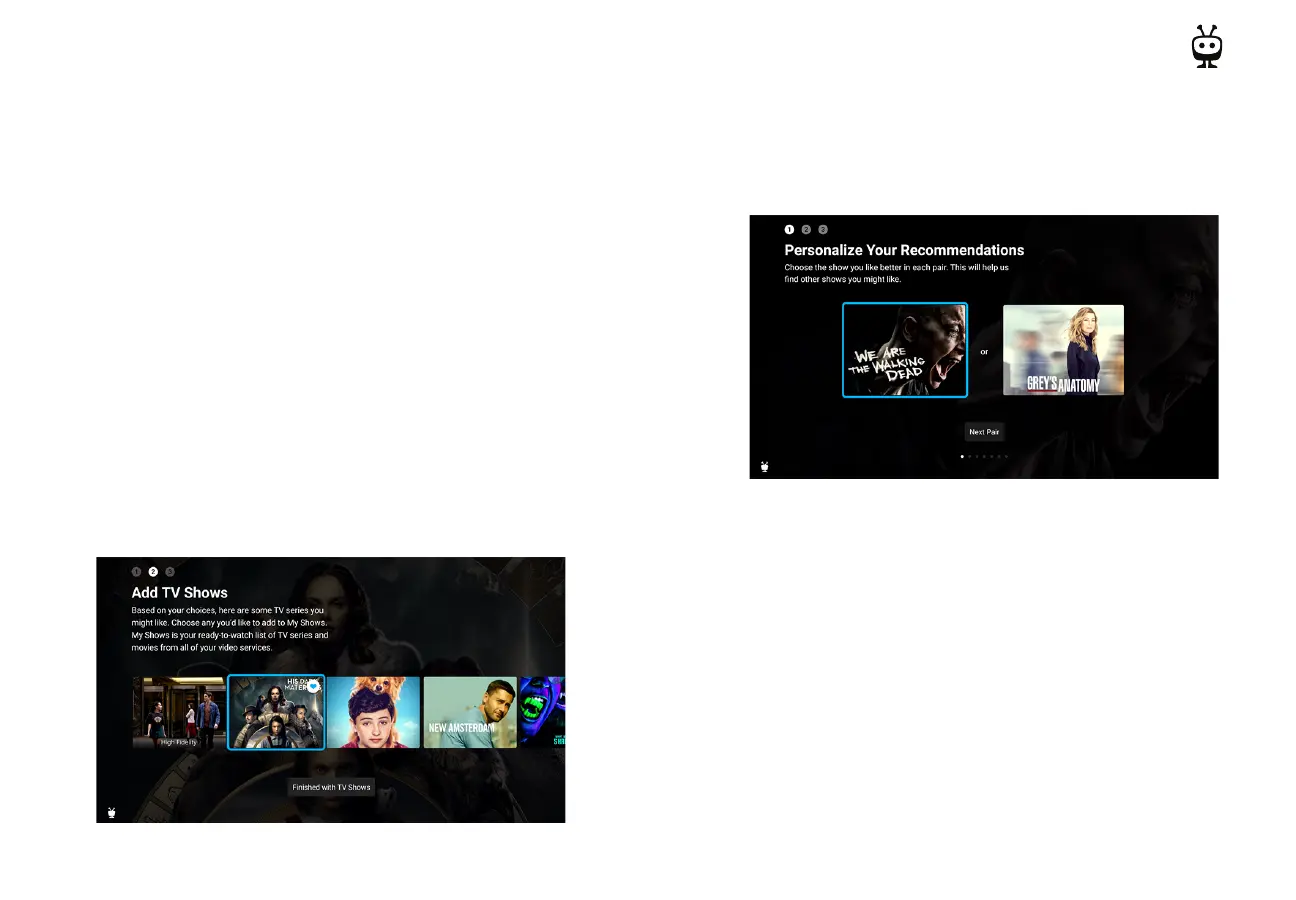
ADD TO MY SHOWS
Next, you’ll add TV shows and movies to My Shows. My Shows is your all-in-
one watch list within the TiVo Stream app, containing all of the shows and
movies you add, no matter if they’re from Netflix, Prime Video, Sling, or
another supported streaming service. Add the shows that you currently
watch or would like to watch, so you can find them in a snap later. (Don’t
worry, you can add TV shows and movies any time, not only during setup.)


 To Next Page