Need help?
Do you have a question about the Tivoli Audio Albergo and is the answer not in the manual?
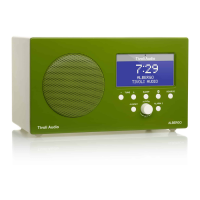
Details the multi-function wheel, LCD, tuning, source, alarm, and Bluetooth controls.
Details the DC power input, antenna, headphone out, aux in, and speaker out.
Explains the operation of all buttons on the remote control.
Covers RDS, Auto Scan, Auto Clock, Contrast, Backlight, Date Set.
Details Clock Set, Volume Limit, Bluetooth Level, and Tivoli EQ options.
Step-by-step guide on setting alarm times, wake sources, and volume levels.
Instructions for pairing your device with the Albergo for wireless audio streaming.
Optimizing AM/FM reception, placement advice, and RDS functionality.
Guidelines on cleaning the unit and optimal placement for sound and ventilation.
Details warranty coverage, exclusions, legal rights, and service procedures.
Outlines the two-year warranty for EU products and associated legal rights.
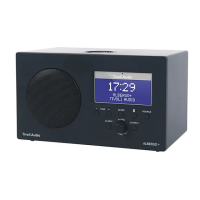
Lists model, type, driver, power, dimensions, and weight specifications.
 General
| Radio type | Clock |
|---|---|
| Tuner type | Digital |
| AM band range | 522 - 1629 kHz |
| FM band range | 87.5 - 108 MHz |
| PLL synthesizer | No |
| Supported radio bands | AM, FM |
| RMS rated power | - W |
| Driver unit | 76.2 mm |
| Number of built-in speakers | 1 |
| Subwoofer driver diameter (imperial) | 3 \ |
| Display type | LCD |
| Bluetooth version | 2.1+EDR |
| Bluetooth profiles | A2DP |
| Apple docking compatibility | Not supported |
| Headphone outputs | - |
| Product color | White |
| Power source | AC |
 Weight and Dimensions
| Depth | 110 mm |
|---|---|
| Width | 187 mm |
| Height | 111 mm |
| Weight | 1040 g |

 To Next Page