
 Need help?
Do you have a question about the Tivoli Audio MUSIC SYSTEM and is the answer not in the manual?
Essential safety precautions for operating the Tivoli Audio Music System.
Covers power sources, FCC compliance, and grounding requirements for antennas.
Details on lightning protection, laser safety, handling damage, and operating environment.
Information about Tivoli Audio's history and founder, Tom DeVesto.
Guide to initial setup, connecting power, and basic operation of the Music System.
Instructions for powering the unit on/off and setting alarms with source and volume.
Managing preset stations, switching audio sources, and activating the sleep timer.
Using stop, play/pause, fast forward/reverse, and eject controls for CD playback.
Setting the clock, controlling volume, and adjusting treble settings.
Selecting audio settings like Stereo/Mono and customizing display information.
Using snooze/mute, headphone output, and understanding optical/IR sensors.
Advice on system placement and tailoring sound with EQ and audio modes.
Simple steps to resolve common operational problems by power cycling the unit.
Details on FM antenna switch, AM/FM inputs, AUX IN, and MIX IN jacks.
Information on REC OUT, power input, bass level, and battery compartment.
How to utilize the Repeat and Shuffle functions for CD playback.
Using intro mode, managing MP3 folders, and direct track selection via remote.
Key operational notes for CD playback, including MP3/WMA and disc handling.
Notes on disc errors, playback delays, and tips for improving FM/AM reception.
Guidance on reception, antenna use, mono mode, and understanding RDS text.
Recommendations for system placement, ventilation, and safe cleaning procedures.
Details of the one-year limited warranty, including what is covered and not covered.
Procedures for service, product registration, and contact information for support.
List of model, type, drivers, dimensions, weight, and other technical details.
 General
| Tuner type | Digital |
|---|---|
| Internet radio | No |
| Supported radio bands | AM, FM |
| Preset stations quantity | 12 |
| Playback modes | Intro, Repeat, Repeat all, Shuffle |
| Optical drive type | Player |
| Disc types supported | CD, CD-R, CD-RW |
| RMS rated power | - W |
| Tweeter diameter | 76.2 mm |
| Tweeter diameter (imperial) | 3 \ |
| Subwoofer driver diameter (imperial) | 5.25 \ |
| Equalizer | Yes |
| Audio formats supported | CD-A, MP3, WMA |
| Display type | LCD |
| Backlight color | Blue |
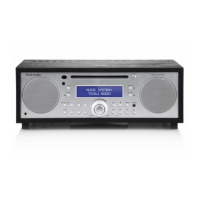
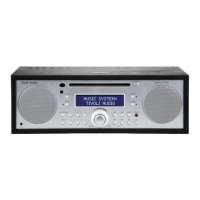
| Product color | Black, Silver |
| Cables included | AC |
| Headphone outputs | 1 |
| USB 2.0 ports quantity | 0 |
| Apple docking compatibility | Not supported |
| AC input voltage | 230 V |
| AC input frequency | 50 Hz |
| Compatible battery sizes | AA |
| Number of batteries supported | 2 |
 Weight and Dimensions
| Depth | 241.3 mm |
|---|---|
| Width | 358.8 mm |
| Height | 133.4 mm |
| Weight | 5900 g |



 To Next Page