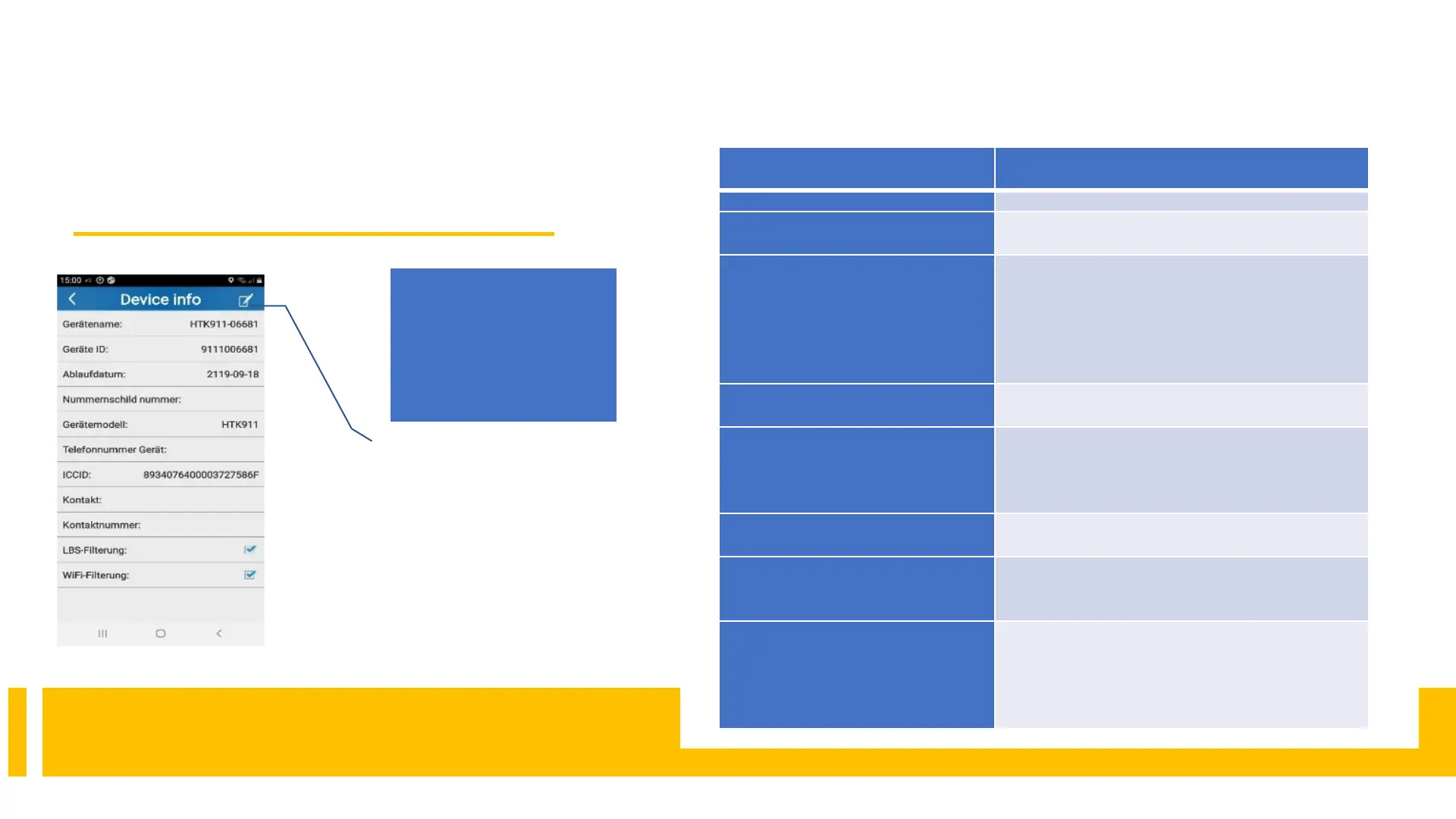
8.7 Device Info
We recommend ticking LBS filtering under
Device info
By clicking on the pencil,
the form is activated and
further entries can be
made or changed.
9.FAQ
9.FAQs
FAQ measure
Charge the battery.
Press on the paw until the
No GPRS signal
(green LED does not flash)
Is the SIM card installed correctly?
APN
is missing ( see Paragraph 6.)?
Is the pin code deactivated?
Insert the SIM card into your cell phone and test whether
the Internet works.
Is there a network?
No GPS
(blue LED does not flash)
You need an unobstructed view of the sky, possibly
change your location
No response to an SMS command
Is the tracker turned on?
Does the tracker have a connection to the
The admin or SOS phone number is incorrect or not yet
created.
SMS position is OK, APP and web
platform are not working
Check the APN number setting as described under point 5
The positioning is very imprecise
No GPS signal, the tracker switches to LBS positioning,
which is often very inaccurate. We recommend
deactivating LBS in the APP under the Device Info button
(see page 11)



 To Next Page