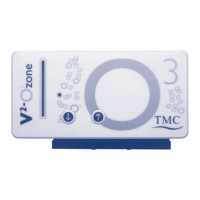
2
INSTRUCTIONS FOR INSTALLATION AND USE
Important Safety Information - Please Read Carefully
- Under no circumstances should the V
2
Ozone Generator
case be opened due to the risk of high voltages.
- The only items that can be removed from the unit are the 6
screws and the black ozone cell assembly when cell
cleaning is required. However, this should only be carried
out after the power adapter has been disconnected from
the mains power supply.
- Never try to power up a V
2
Ozone Generator with the
black ozone cell assembly removed.
- If you accidentally drop or partially submerge your V
2
Ozone
Generator in water, immediately disconnect the power by
removing the power adapter from the mains socket.
- Do not attempt to retrieve or touch the unit while it is wet
or submerged until power has been disconnected. The
V
2
Ozone Generator must then be returned to the place of
purchase for maintenance or repair at Tropical Marine
Centre’s designated service centre.
- Exposure to ozone for prolonged periods or at levels higher than
those recommended by government authorities can be a serious
health risk. Follow local government ozone exposure guidelines.
- If excessive ozone levels are detected in the area where
you are using a V
2
Ozone Generator, you can fit a canister
containing dry activated carbon to neutralise the off-gas
passing through it from your skimmer/ozone mixer.
Alternatively the off-gas can be fed outside the building
using an ozone resistant tube. Normally ozone levels should
be below exposure guidelines if your system is set up
correctly.
- This unit is designed to be used indoors and is not
suitable for outdoor applications.
- Dispose of this unit responsibly. Check with your
local authority for disposal information.
s


 To Next Page
 Loading...