Injection Molding Machine Appendix D
D-8 V1.0
Steps: press F2 [ITEM CHANGE] UNTIL [(1)SAVE OS (.OSC)] is showed, Æ use
F3,F4, ↑,↓ to select destination folder.
Press F5 will move cursor to SAVE AS position, enter desired file name
without extensions filename, then pressure ENTER to save screen program
in a new created filename, extension file name .OSC will be added
automatically.
Filename must be different from existed files.
Wait until system messages show.
SAVE FILE COMPLETE 100%.
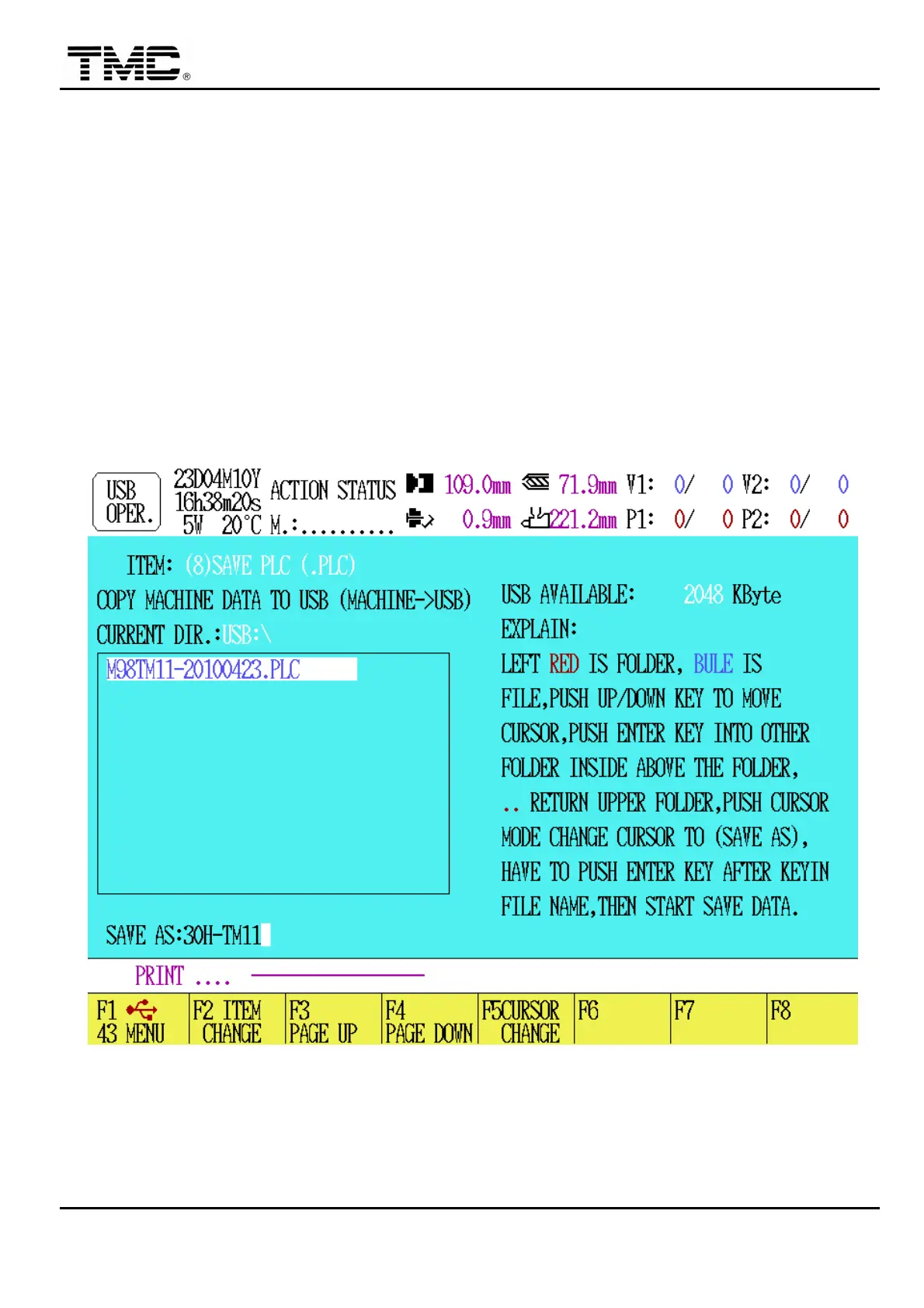
(8) SAVE PLC (.PLC): This function will save current machine PLC program
in USB disk.
Steps: press F2 [ITEM CHANGE] UNTIL [(1)SAVE PLC (.PLC)] is showed, Æ
use F3,F4, ↑,↓ to select destination folder.
Press F5 will move cursor to SAVE AS position, enter desired file name
without extensions filename, then pressure ENTER to save PLC program in
a new created filename, extension file name .PLC will be added automatically.


 To Next Page
 Loading...