Injection Molding Machine Chapter 4
V3.0
4-9
2.3
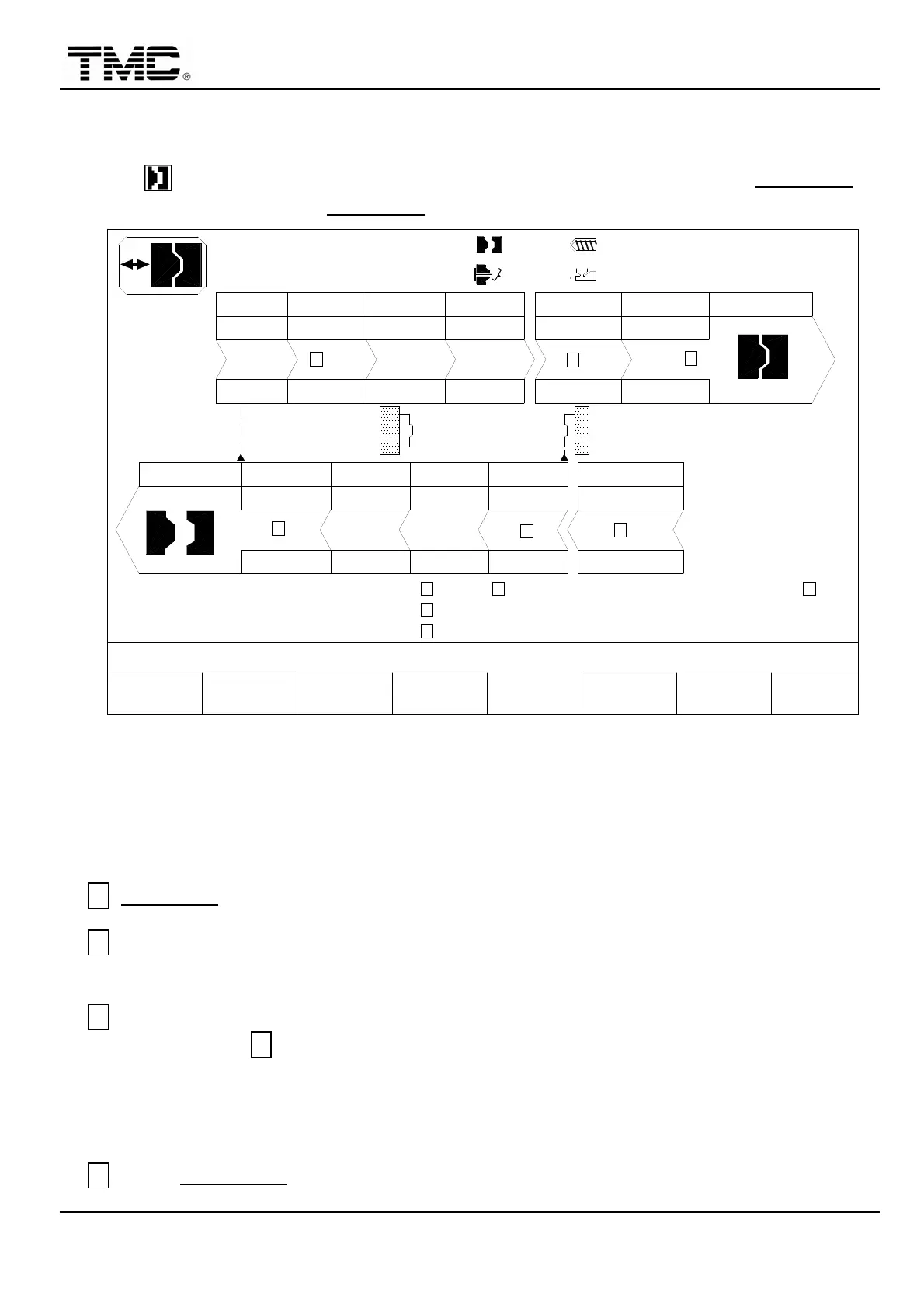
Clamp open/close setting
Press hot key or use directional key in the main menu to move the cursor to CLAMPING
and press ENTER to display CLAMPING screen.
V %
PT mm
P Bar
DECOMPRESS
LOW P/V LOCK CLOSE END
PT mm
P Bar
V %
V1: 0/ 0 0/ 0V2:
0/ 0P1: 0/ 0 P2:100.0mm
100.0mm
210.0mm
0.5mm
M:
03D05M07Y
10h25m10s
20°C3W
MOLD PROTECTION T.
CLOSE MONITOR T.
OPEN MONITOR T.
< 1.0> 0.0
< 5.0> 0.0
< 5.0> 0.0
< 1.0> 0.0
< 20.0> 0.0
ROBOT SIGNAL PT. / T.
CYCLE T.
INTERVAL T.
14020
220 40.0
1020
0
50.0
10 100
5.0
100
10
PARAMETER
CLAMP
F2F1 F3 F4 F5 F6 F7 F8
MOLD ADJ. LOG SUPPORT TENANCEMENU
01
I/O
<220.0/ 5.0> OFF
OPEN END
120.0
50
90
4'S3'S2'S1'S
180.0
50
4'S3'S2'S1'S
100
100
50
CHANGE MOLD EXTERN MAIN-
A
B
C
D
E
F
G
H
I
KJ
ACTION STATUS
Screen 4-6
V %
:
Speed setting in percentage
,
0%~100%.
PT mm
:
Position setting
,
uses the
※
on the panel to input decimal point.
P bar
:
Pressure setting.
A
OPEN END
:
Clamp open end position.
B
If the contact force of male and female mold halves is too strong
,
increase switching
position set value of rapid to low speed for earlier speed slow down.
C
Setting of clamp close low pressure to high pressure position
:
first of all
,
set this position
to be same as
D,
do manual clamp close
,
when mold travels to the male and female
mold touch position
,
check the present value of clamp position on the upper portion of the
screen. Take this value and add 3.0~5.0 as set value in toggle model
,
for fully hydraulic
type
,
add
0.1 to be the low pressure to high pressure switching position setting.
D
Clamp CLOSE END position
:
Toggle type is set at 5.0
:
Fully hydraulic type is set at 0.0
,


 To Next Page
 Loading...