3
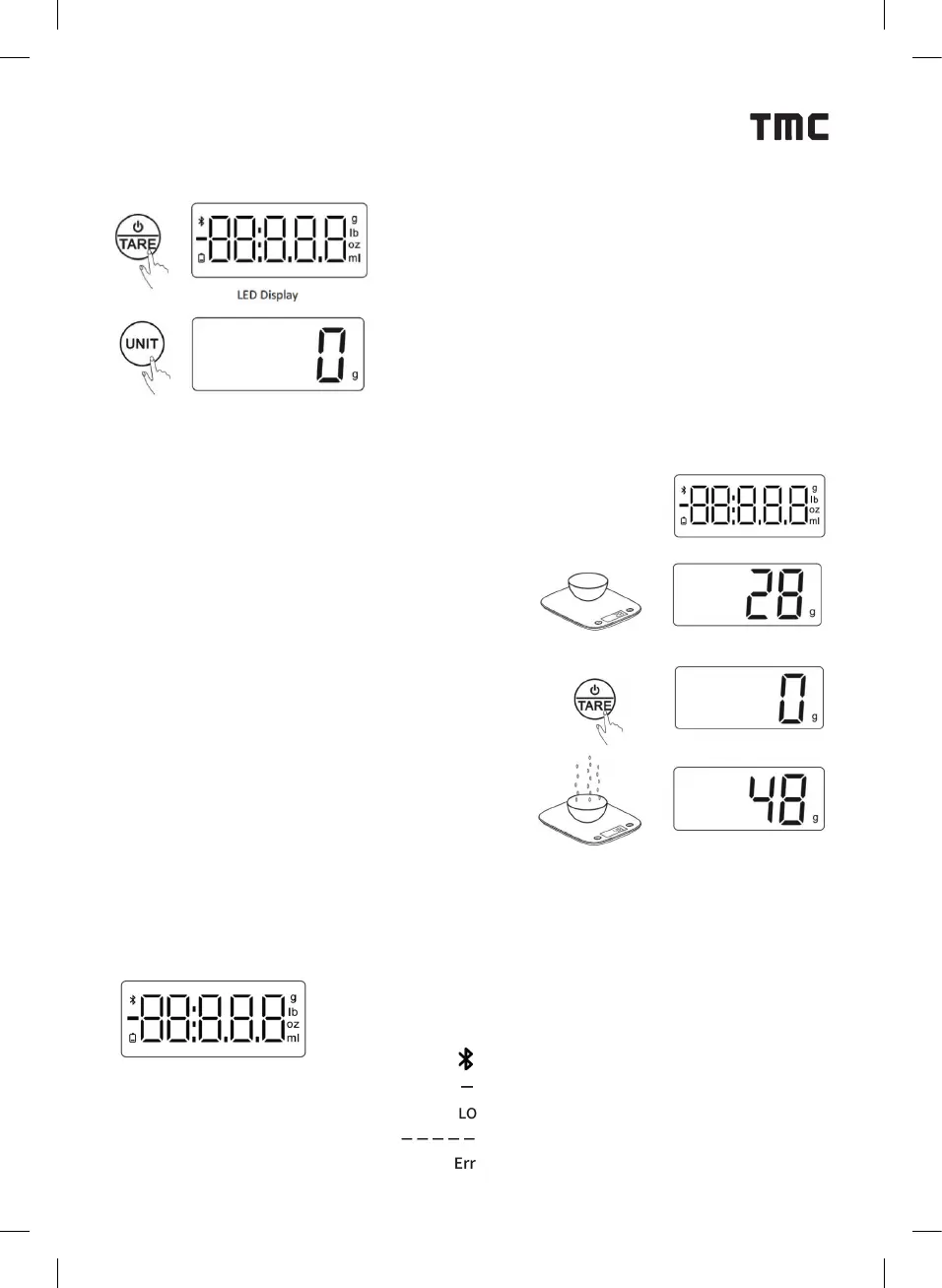
SELECT UNIT:
1. Press the power button to turn on the scale.
Before the rst use or after replacing the battery,
you can choose the unit (g/ml/oz/lb:oz)
according to your needs.
2. To select the unit, wait until the display reads
“0”. Then press “UNIT” to cycle through and
select the desired scale unit.
WEIGHT REMOVAL FUNCTION:
Turn on the scale by pressing the power button.
When the display shows “0”,
carefully place the container
to be weighed onto the scale.
Wait for the scale to display the weight of
the container. Then, press the “Zero” button
to tare the weight of the container.
Add the food to the container. The display will
now show the weight of the food only.
Press “TARE” to reset if necessary, and press
the power button again to turn o the scale.
TIPS:
When you clear the container’s weight, if you then remove the container from the
scale, the display will show a negative sign (“-”), indicating a negative weight.
SYMBOL DESCRIPTION:
When you clear the container’s weight, if you then remove the container from the
g: Unit of Weight (grams)
lb: Unit of weight (pounds)
Oz: Unit of Weight (ounces)
ml: Volume unit (millimeters)
Bluetooth Connectivity Status
Negative Weight Indication
Low Power Indication
Weight Removal (tare function)
Overweight Warning


 To Next Page
 Loading...