4
InsTallInG anD usInG THe aPP
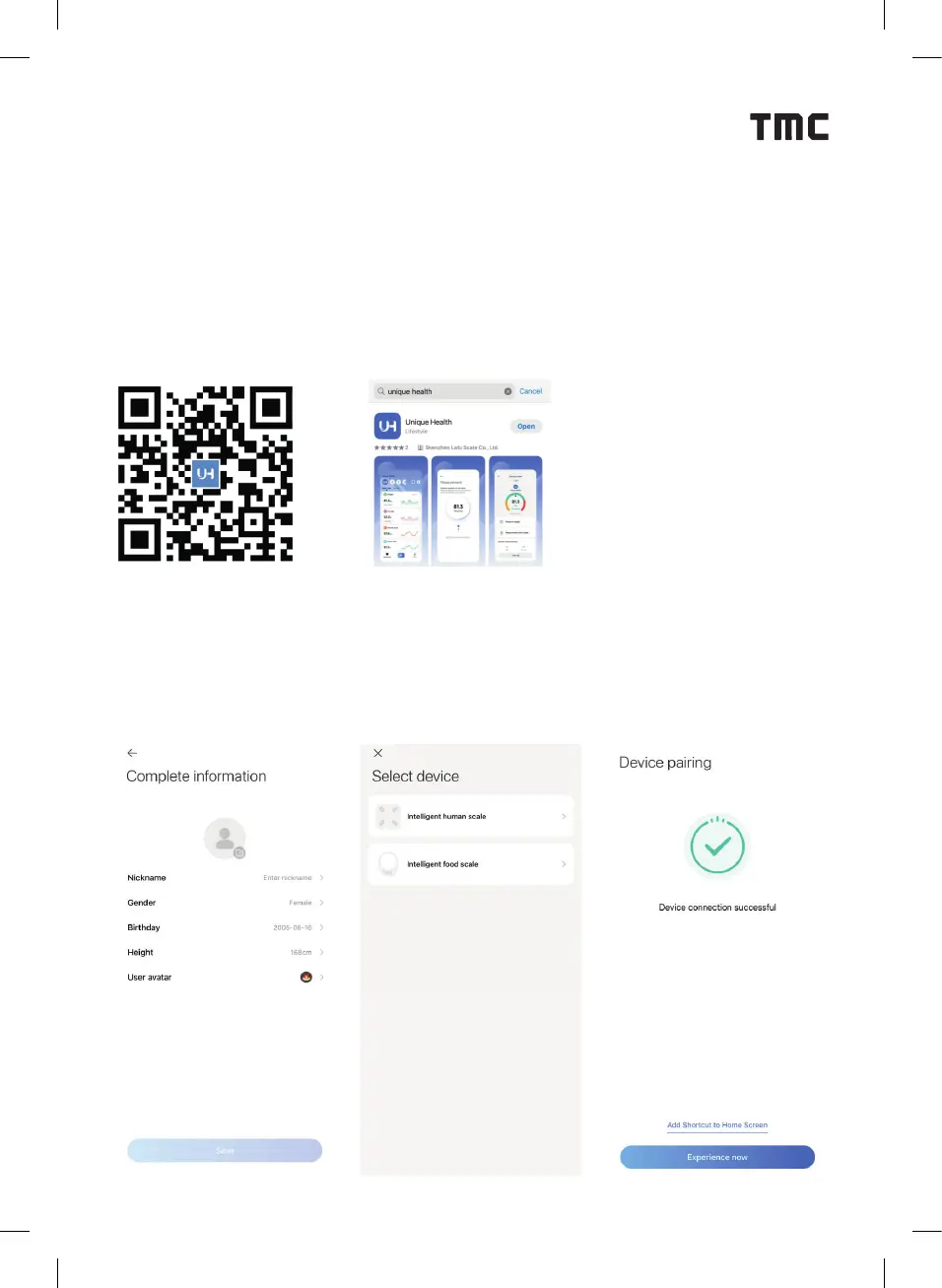
HOW TO INSTALL THE APP ON YOUR PHONE OR TABLET?
1. Ensure your phone or tablet is connected to a Wi-Fi or mobile network.
2. Scan the QR code provided in the manual, or search for and download the
3. “Unique Health” app from Google Play or the Apple App Store.
4. Once installed, the app icon will appear on your device’s home screen.
HOW TO USE THE UNIQUE HEALTH APP?
1. Check your device’s settings to ensure that Bluetooth is enabled.
2. Open the settings page to con gure your personal information.
3. Refer to the ‘Common Problems’ section on the settings page before use.
4. Turn on ‘Select Device’ and choose ‘LFSc’ to search for and connect to the scale.


 To Next Page
 Loading...