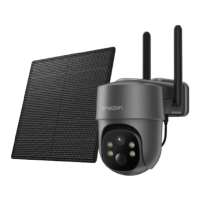
Need help?
Do you have a question about the TMEZON CQ1H and is the answer not in the manual?
Details the physical components of the camera, including antenna, lens, lights, and ports.
Describes the function of the power button for on/off and the reset button for factory settings.
Lists technical specifications such as camera lens, resolution, storage, battery capacity, and waterproof rating.
Explains the meaning of different indicator light colors and states for various modes.
Provides instructions on how to charge the camera and the expected indicator light behavior.
Guides users on how to download and install the VICOHOME app for Android and iOS devices.
Specifies that the camera only supports 2.4Ghz Wi-Fi and not enterprise-level authentication.
Details the step-by-step process for connecting the camera to the app via WiFi.
Provides instructions for installing the camera bracket using screws and expansion nuts.
Explains how to insert the camera into the fixed bracket from top to bottom.
Offers guidance on choosing an optimal location for the camera to ensure proper detection.
Explains how to invite family and friends to share camera access via QR code.
Provides steps to resolve issues when the device is offline, including network reconfiguration.
Addresses issues with WiFi name visibility on Apple devices, suggesting enabling location permission.
Details requirements for WiFi, including 2.4Ghz, WPA2-PSK security, and password length.
States that 'Auto' duration records up to 3 minutes when motion is detected.
Recommends placing the camera close to the router for stable Wi-Fi connection.
Instructs on how to restart the device or use the reboot hole for malfunctions.
Clarifies that dim red lights indicate night vision activation, ensuring clear image quality.
Explains that PIR detection depends on height, angle, and sensitivity settings.
Troubleshoots video recording issues, including SD card recognition and motion detection range.
Guides on how to perform firmware updates via the app and precautions to take.
Offers methods to save battery, such as decreasing motion sensitivity and adjusting recording intervals.
Recommends setting video resolution to SD and recording time to 10s for power saving.
Suggests turning off 'Alarm Bell' and 'Alarm Flash' to conserve power.
Advises on enhancing WiFi signal strength to reduce power consumption and disconnections.
Explains AI analysis for person, pet, vehicle, or package detection and smart notifications.
Guides on how to share the camera device with other users through the app's sharing feature.
Details the process for other users to add a shared camera via QR code or friend invitation.
 General
| Weather Resistance | IP65 |
|---|---|
| Sensor Type | CMOS |
| Connectivity | Wi-Fi (2.4 GHz) |
| Storage | MicroSD card (up to 128GB) |
| Power Source | Battery |
| Smart Detection | Motion detection |
| Operating Temperature | -10°C to 50°C |
| Resolution | 1920x1080 (Full HD) |

 To Next Page