6
Toast Flex 22" User Guide
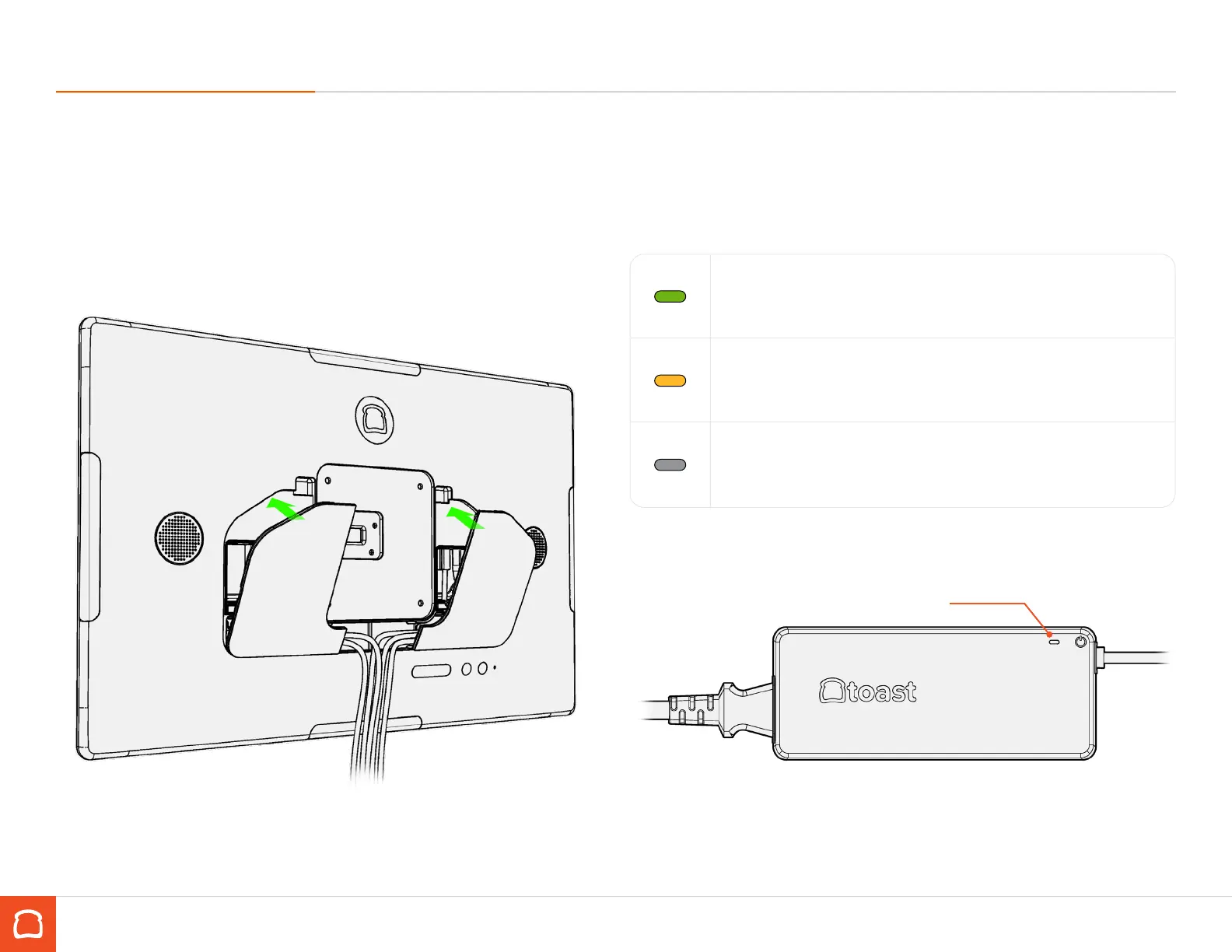
Adapter LED
Connecting your cables (continued)
Step 5
Organize the cables at the exit of the lower pocket. Close the back cover
by inserting the tabs on the bottom into the corresponding notches. Hinge
upwards until the latches lock in place.
Step 5
Plug the power adapter into the wall unit and check LED status.
When the LED is GREEN, the adapter is providing power to your terminal and
you are ready to proceed. Turn on your terminal using the power button
located on the back.
When the LED is AMBER, the wall outlet is providing power to the adapter but
the adapter is not providing power to the terminal. Check the power cable at
the back of the terminal and make sure that it is securely plugged in.
When the LED is o, the adapter is not receiving adequate power from the
wall outlet. Check your wall power or use a dierent power outlet.



 To Next Page