7
2. Both glass tray and turntable ring assembly must always be used during cooking.
3. All food and containers of food are always placed on the glass tray for cooking.
4. If glass tray or turntable ring assembly cracks or breaks, contact your nearest authorized
service center.
MICROWAVE FUNCTIONS
1. Power Level
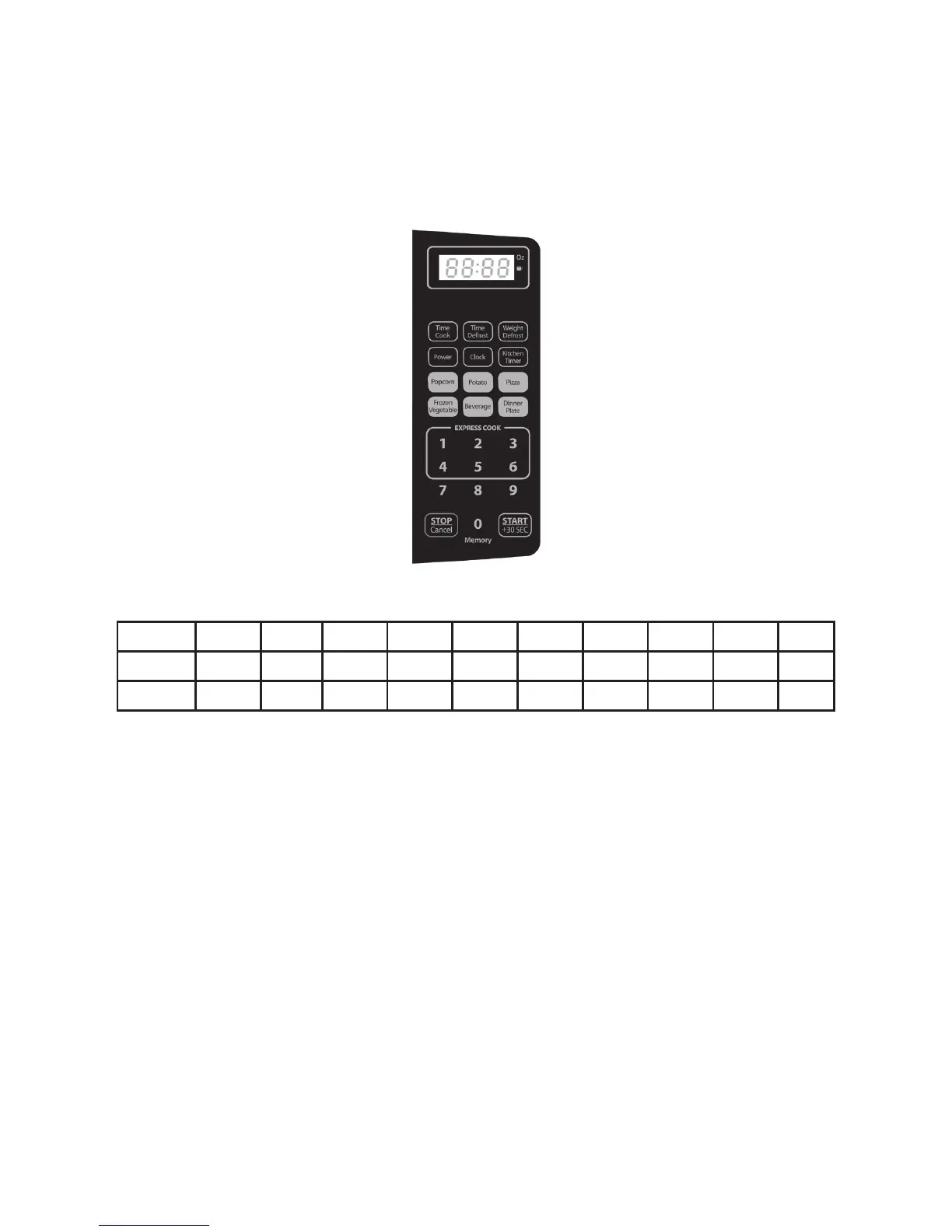
Level 10 9 8 7 6 5 4 3 2 1
Power 100% 90% 80% 70% 60% 50% 40% 30% 20% 10%
Display PL10 PL9 PL8 PL7 PL6 PL5 PL4 PL3 PL2 PL1
2. Clock Setting
1. Press “CLOCK”, “00:00” will appear on the display.
2. Press the number keys to set time. For example, the time is 12:10, press
“1,2,1,0” in order.
3. Press the “CLOCK” to nish the clock setting. “:” will ash and the clock will be
set.
Note: If the “STOP/CANCEL” button is pressed or if there is no operation within 1 minute, it
will automatically go back to the previous setting. To re-set the clock, repeat steps 1 to 3.
3. Kitchen Timer
1. Press “KITCHEN TIMER”, “00:00” will appear on the display.
2. Press the number keys and enter the desired time (maximum cooking time is
99 minutes and 99 seconds.
3. Press “START/+30SEC” to conrm setting.
Note: While using the Kitchen Timer, other functions cannot be used. Press “STOP/CANCEL”
once to cancel the Kitchen Timer function.
4. Microwave Cooking
1. Press “TIME COOK” once, LED will display “00:00”.
2. Press the number keys to input the cooking time; the maximum cooking time is



 To Next Page