Need help?
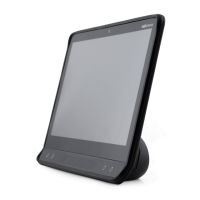
Do you have a question about the Tobii Dynavox I-16 and is the answer not in the manual?
Provides guidance on preventing hearing damage from high volume levels.
Covers safe usage, charging, and handling of the device's power supply and batteries.
Explains how to connect the power cable and charge the device.
Explains how to control the computer using eye movements with the device.
Details the various settings available for configuring the eye tracking functionality.
Offers solutions for common issues like the device not powering up.
Details the technical specifications for the Tobii IS5 Eye Tracker module.
 General
| Screen Size | 16 inches |
|---|---|
| Screen Resolution | 1920 x 1080 pixels |
| Operating System | Windows 10 |
| Processor | Intel Core i5 |
| RAM | 8 GB |
| Storage | 256 GB SSD |
| Battery Life | Up to 8 hours |
| Connectivity | Wi-Fi, Bluetooth |
| Purpose | Augmentative and Alternative Communication (AAC) |
| Eye Tracking | Yes |
| Access Methods | Eye tracking, Touch |
| Ports | USB, Ethernet |


 To Next Page