Need help?
Do you have a question about the Tobii Pro Glasses 3 and is the answer not in the manual?
Specifies the intended academic, commercial, and industrial applications for the eye tracker.
Provides information on where to find further documentation for the product.
Explains the meaning of information, tip, and warning symbols used throughout the manual.
Details the hardware and software requirements for running the controller application on Windows and Android.
Lists and describes optional software like Pro Lab and Pro SDK for advanced analysis and development.
Covers essential precautions for using the system safely and avoiding injury or damage.
Warns about improper use of components and the system, and the user's responsibility.
Advises against using the system in dangerous situations due to potential failure or distraction.
Highlights choking hazard risk for children and the need for supervision when using the device.
Warns about potential interference with medical devices and other electronics due to IR light emission.
Alerts individuals with photosensitive epilepsy to potential risks from flashing lights.
Emphasizes the delicate nature of the instrument and the risks of dropping or shaking it.
Warns against bending any part of the system, as it can affect quality and accuracy.
Prohibits opening or disassembling the device, as it voids the warranty and has no user-serviceable parts.
Warns against connecting unintended devices to the system's connectors to prevent injury or damage.
Specifies that the head unit cable should only be used for connecting to the recording unit.
Advises avoiding direct sunlight, liquids, extreme temperatures, and humidity to protect the equipment.
Details safe connection practices for head unit, recording unit, and controller devices.
Provides crucial warnings about battery handling, charging, disposal, and explosion risks.
Warns about placing the recording unit near sensitive equipment due to its radio transmitters.
Provides recommended temperature and humidity ranges for transporting the eye tracker.
Stipulates using only Tobii Pro provided or approved accessories.
Details how to clean the lenses and device components safely, avoiding specific cleaning agents.
Lists chemical warnings associated with product components as per California Proposition 65.
Details the features available across the four different Pro Glasses 3 package options.
Lists the items included in the standard Tobii Pro Glasses 3 package.
Describes optional components that can be added to the Pro Glasses 3 system.
Explains the main components of the Pro Glasses 3 system: head unit, recording unit, and controller application.
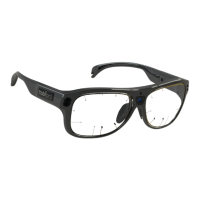
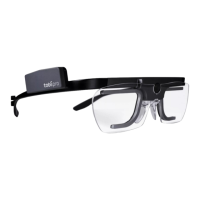
Introduces the head unit as a sophisticated measuring device requiring careful handling.
Explains the meaning of the LED indicators on the recording unit for power, connection, and SD card activity.
Describes the controller menu used to switch between recording and viewing recorded data.
Explains how to start, stop, and manage recordings using the controller application.
Details how to locate, play back, and delete recordings from the SD card.
Guides on adjusting the head unit, including attaching different nose pads for a comfortable fit.
Provides instructions on how to attach an alternative nose pad to the head unit for better fit.
Details the steps required to remove the nose pad from the head unit.
Refers to the Corrective Lenses User Manual for information on attaching optional lenses.
Covers the preparation of the recording unit for use, including firmware updates.
Provides detailed steps and safety warnings for inserting and removing the battery from the recording unit.
Explains how to use the supplied battery charger to charge the Li-ion batteries.
Describes using the USB charger as a backup solution for charging the recording unit's battery.
Provides instructions for safely changing the SD card in the recording unit.
Shows how to connect the head unit cable to the recording unit.
Explains how to update the Pro Glasses 3 system firmware via the controller application or SD card.
Guides on downloading and installing the controller application on Windows devices.
Guides on downloading and installing the controller application on Android devices.
Explains how to update the controller application when a new version becomes available.
Provides steps for connecting the Pro Glasses 3 system to a device using Wi-Fi.
Details how to connect the Pro Glasses 3 system to a device using an Ethernet cable.
Outlines the steps to prepare the system before starting a recording.
Guides on fitting the head unit to the participant, ensuring proper placement and security.
Explains the procedure for powering the eye tracker system on and off.
Details how to add a new participant and enter their name in the controller application.
Explains the importance and process of calibrating the eye tracker for each participant.
Offers solutions for common calibration issues, including environmental factors and card visibility.
Instructs on how to start a recording after the calibration process is complete.
Explains how to find and play back recorded data using the controller application.
Provides the procedure for deleting recordings from the system.
Explains how to view recording unit properties like name, serial number, and firmware version.
Provides information on the REST API for developers integrating with third-party solutions.
Specifies the recommended temperature and humidity ranges for operating the device.
Provides recommended temperature and humidity ranges for transporting the eye tracker.
Specifies recommended temperature and humidity ranges for storing the eye tracker.
Details how to clean the lenses and device components safely, avoiding specific cleaning agents.
Instructs on proper disposal of the eye tracker according to local regulations.
Lists technical specifications related to the eye tracking functionality of the device.
Details the material, dimensions, weight, and sensor specifications of the head unit.
Lists the battery, storage, and connector specifications for the recording unit.
Provides specifications for the optional corrective lenses, including correction range and dimensions.
Lists the minimum system requirements for the controller application on Windows and Android.
Lists tested and verified Android devices that are compatible with the controller application.
Details compliance with Australian and New Zealand product safety and radio communication standards.
States compliance of the recording unit and operation with specific Chinese standards.
Lists EU directives, CE marking, and WEEE compliance for the product.
Details compliance of the recording unit and operation with Japanese standards.
Explains the KC mark signifying compliance with Korea's product safety requirements.
Covers FCC interference statements and Canadian ICES-003 compliance.
States ETL compliance for the head and recording units based on safety standards.
Confirms UL compliance for the recording unit with UL 508A standard.
Lists emission and immunity standards that the Pro Glasses 3 complies with.
Details safety standards related to photobiological safety and specific absorption rate.
Provides contact information and guidance for obtaining customer support for the device.
Directs users to Tobii Pro Connect for online support, learning resources, and account information.
Encourages users to sign up for learning programs or browse articles to enhance eye tracking knowledge.
Directs users to Tobii Pro Service Description for information on product care and warranty.
Reiterates the intended use of eye trackers for research in indoor, dry environments.
Discusses the impact of light conditions on performance and advises avoiding direct sunlight.
Explains how eyelashes can obstruct pupil view, potentially making eye tracking impossible.
Describes how droopy eyelids can block pupil view, hindering accurate eye tracking.
Explains the sync-out signal emission from the recording unit using TTL 3.3 V signals.
Describes how the recording unit is triggered by sync-in signals using TTL 3.3 V.
Provides illustrations and instructions for printing and using the calibration target for accurate calibration.
 General
| Brand | Tobii Pro |
|---|---|
| Model | Glasses 3 |
| Category | Smart Glasses |
| Language | English |

 To Next Page