17 / 33
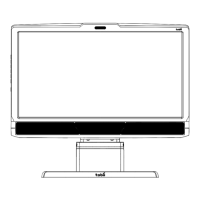
If the screen bezel is thinner than the height of the eye tracker, affix the
mounting bracket as low as possible on the screen frame, or directly on the
screen. DO not use this setup if you intend to show stimuli in the lower part
of the screen, as they might be covered by the eye tracker.
For this we could recommend the Flex Mount, which is designed to fit most
screen shapes and forms as you can adjust the angle of the Flex Mount to
ensure that the eye tracker can always face you.
Some laptops are very thin and there is little space between the screen and
the keyboard when the laptop is closed. We recommend that you check
whether the laptop can close with the mounting bracket present before you
attach it.
What to do:
1. Make sure the eye tracker is attached to the monitor and connected to your
computer. Open Tobii Pro Eye Tracker Manager. You should be able to see and
expand your eye tracker’s “card” in Tobii Pro Eye Tracker Manager. The serial
number of your eye tracker should match the number displayed.
2. You can leave your eye tracker USB cable connected with the eye tracker to the
side (for example on the table) or you can disconnect it while you attach the
mounting bracket.
3. If you plan to attach the eye tracker to a laptop, make sure the laptop can close
with the magnetic mounting bracket attached. Some laptops have very little space
when closed.
You can test whether you can close the laptop with the mounting bracket
by placing the mounting bracket (with the backing paper still attached) on
the keyboard side of the laptop and carefully closing the laptop lid. Watch
for any potential interference between the screen, bracket, and keyboard.
4. Find the center of the screen and clean the bezel with one of the included cleaning
wipes.
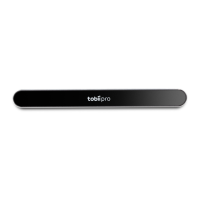
5. Peel the adhesive tape off the mounting bracket and mount it on the bezel so that
your Tobii Pro Spark is as close to the bottom of the screen as possible without
covering the screen. Press the bracket against the bezel for 30 seconds and wait
one hour before attaching the eye tracker.


 To Next Page