22 / 33
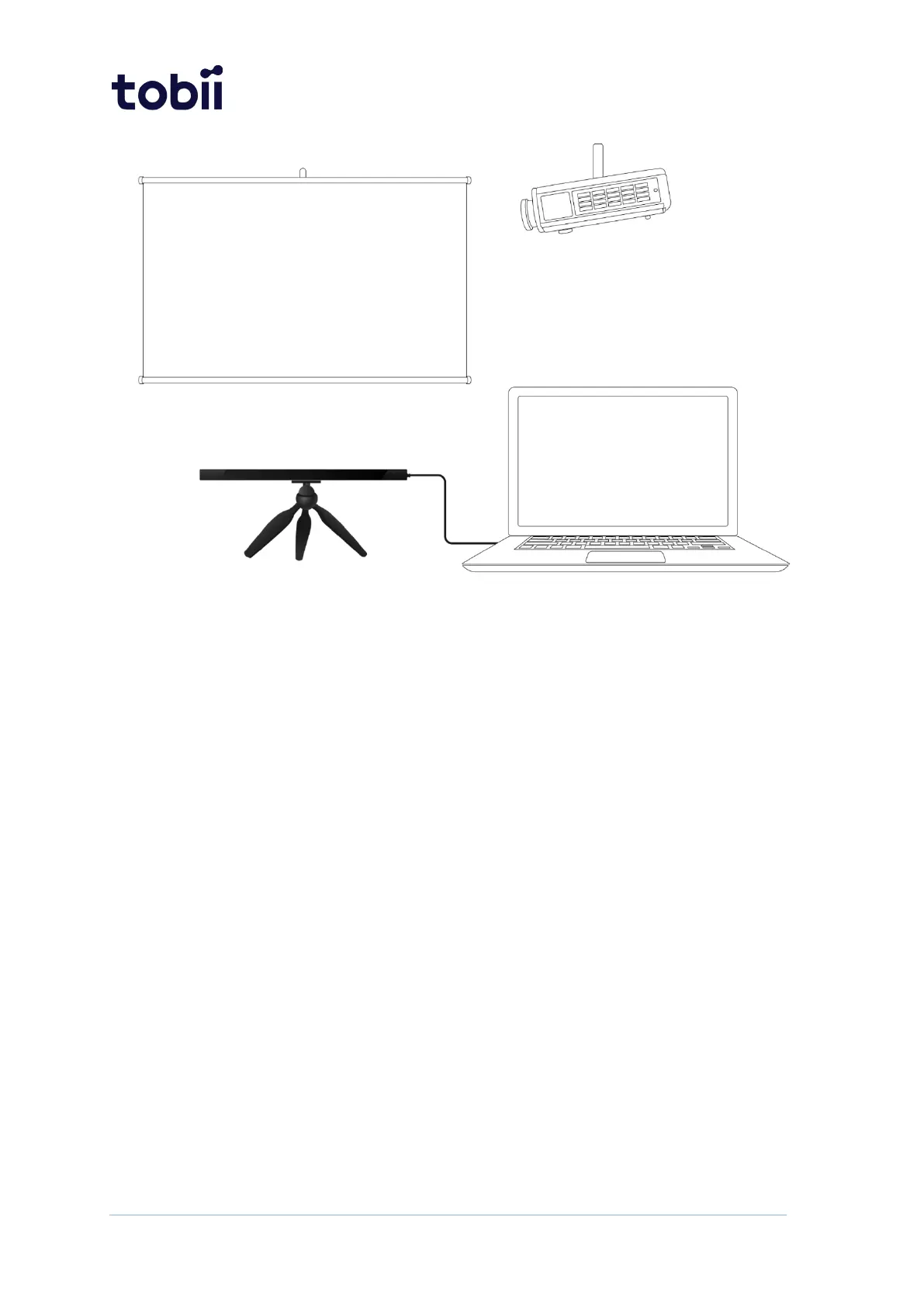
Figure 6. Tobii Pro Spark with the Tripod Stand and projected screen.
How to set up Tobii Pro Spark with a large monitor or projector screen:
1. Select a suitable location and set up the monitor/screen.
2. Set up the monitor/screen and connect it to the laptop.
3. Mount the eye tracker on a separate tripod and connect it to the laptop. If the USB
Type-A to Type-C adapter is needed, use it along with the AC power adapter.
4. Place the participant 50–80 cm from the eye tracker and use the Position Guide
in Tobii Pro Eye Tracker Manager’s Overview to ensure that the eye tracker can
detect the participant’s eyes.
5. Select New in the drop-down Display Setup menu.
6. Select Advanced setup and select Next.
7. Enter the width and height of your screen in millimeters. The width must be at
least 10 mm. Select Next.
8. Enter the angle of your screen in degree and select Next.
9. Enter the height difference in millimeters between the top of the eye tracker and
the bottom of your screen. Select Next.
10. Enter the position of the eye tracker in relation to the screen. Use the radio
buttons to select whether the eye tracker is positioned under or over the screen
and enter a measurement in millimeters.
11. Enter the angle of your eye tracker in degrees and select Next.
12. Save your display by naming the setup and selecting Save.


 To Next Page