Need help?
Do you have a question about the Tohken THIR-6000U-HID and is the answer not in the manual?
Covers warnings about disassembly, following notices, and stopping use due to smoke/sound.
Details precautions for AC adapters, operating environment, moisture, and cleaning the reading window.
Lists included items and optional accessories, with initial setup notes.
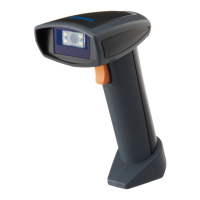
Identifies key physical parts like reading window, switch, and grip handle.
Explains monitoring LED, trigger switch, and connection cable functions.
Guides on connecting the THIR-6000 scanner to a host via serial port and power adapter.
Instructions for connecting and setting up the THIR-6000U using its USB interface.
Details on configuring the THIR-6000U to operate as a Human Interface Device (HID).
Steps for configuring the host computer for scanner communication, including conditions.
Procedure to change scanner settings by scanning configuration barcodes.
Explains scanning, aiming points, and reading confirmation signals.
Describes audible signals (beeps) for various scanner events and statuses.
Details on transmitting image data, including transfer times for serial and USB.
Information on vibration for successful decoding and how to enable/disable it.
Outlines barcode data transmission and command signal receipt between scanner and host.
Explains the XMODEM protocol used for transmitting image data via RS-232C.
Provides overall technical details like dimensions, weight, illumination, and sensor for THIR-6000 models.
Details reading direction parameters (pitch, skew, tilt) and environmental specs.
Specifies decodable symbols and reading range/depth for different barcode types.
Lists the pin assignments for the RS-232C serial interface connector on the THIR-6000.
Outlines default communication parameters for RS-232C, like baud rate and data format.
Provides the physical measurements (width, height, depth) of the scanner unit in millimeters.
Explains the image cropping feature and serial setup procedure.
Describes automatic detection and decoding without trigger press.
Methods to enable/exit auto detection mode via serial commands or barcodes.
Compares High Speed and Normal modes for speed and aiming beam.
Details two minor High Speed modes prioritizing decoding speed.
Addresses issues with trigger press, checking power supply voltage, polarity, and rating.
Covers reasons for reading failures: code setup, distance, glossy surface, window cleanliness, print quality.
Explains troubleshooting for data corruption/loss: host setup, baud rate, frame format, ITF fixed digits.
Outlines what the warranty covers for defects and what cases are excluded.
Lists head quarters, regional offices, and field support contact details.
 General
| Brand | Tohken |
|---|---|
| Model | THIR-6000U-HID |
| Category | Barcode Reader |
| Language | English |


 To Next Page