9
Installing the computer assist box
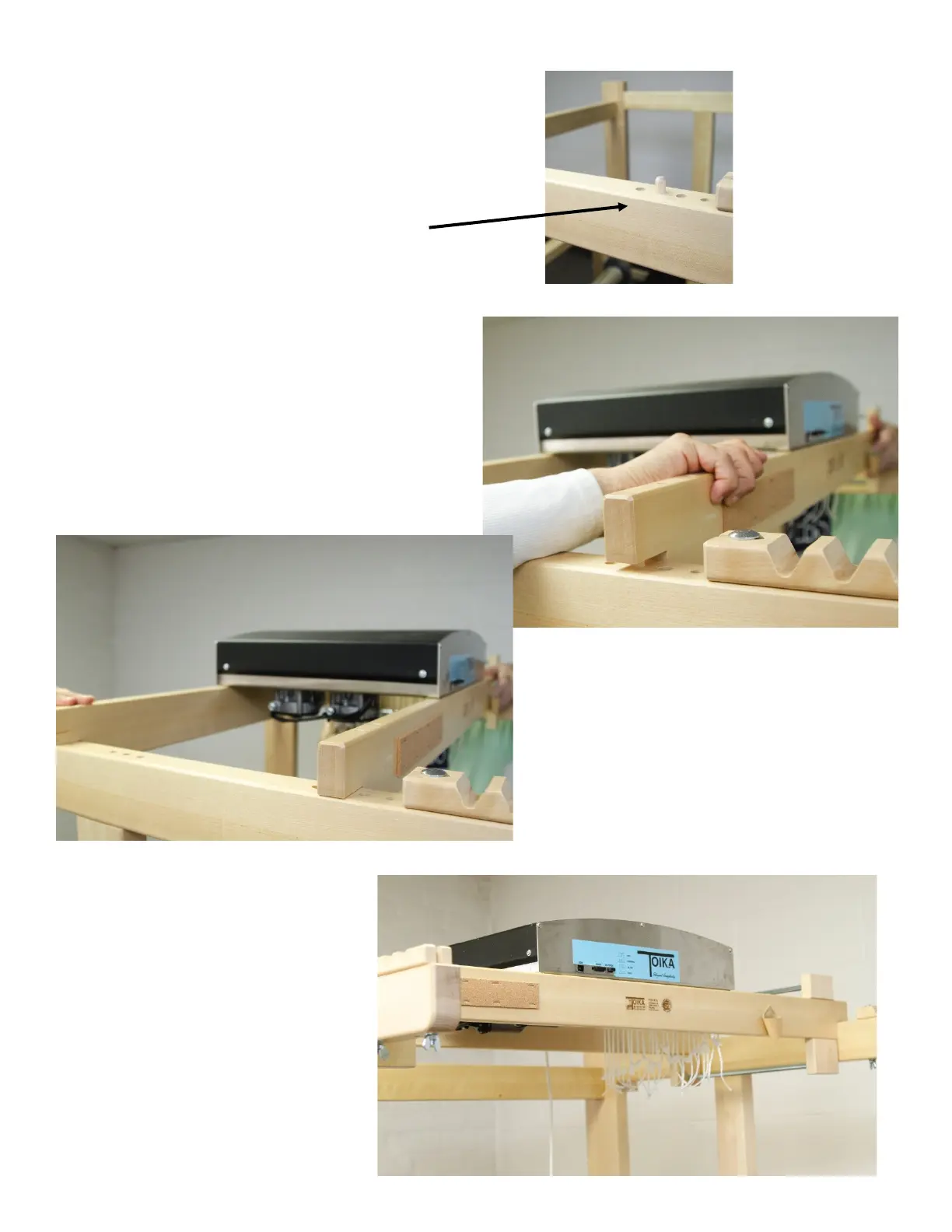
Now you are ready to install the box on top of the
loom. Locate four 10mm x 40mm dowels in your
parts bag, then look at the top of the side frames
to nd the posion for the rails before liing it up.
There is a set of holes immediately behind the
beater mounts; the dowels for the front rail will t
into second hole from the end (away from the
beater).
The second dowel will go into one of the set of 3
holes furthest back on the side frame. Measure
the distance between the 2 rails with the box
aached and use that measurement to determine
which of those 3 holes to use and insert the dowel.
Each side frame will have 2 dowels, one for the
front rail and one for the back rail.
Two people can then li the rails and carry
it high over the frame sides so that the
notches in the rails slip over the frame
sides and the holes in the rails line up with
the dowels in the side frames.
When you have all four sides of the rails
lined up with the four dowels, push the
rails down onto the side frames. Your con-
trol box is now secure.


 To Next Page
 Loading...