
 Need help?
Do you have a question about the TOKIT Razor Cooktop Pro and is the answer not in the manual?
Guidelines for safe operation, intended users, and child supervision.
Placement, interference, and cookware restrictions for safe operation.
Safe electrical connections, handling of power plugs, and socket requirements.
Proper ventilation and placement to prevent damage from heat.
Procedures for cleaning the appliance and maintaining its condition.
Rules for using the appliance during operation to prevent accidents.
Post-operation checks and safety advice.
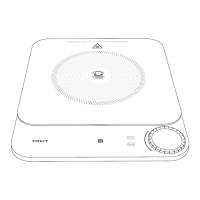
Identifies and labels the main parts and controls of the cooktop.
Additional safety warnings regarding impacts, modifications, and device faults.
Lists common signs of device malfunction or abnormalities.
Step-by-step guide to connecting the cooktop to the Mijia smart home app.
Explains the meaning of different Wi-Fi icon indicators for connectivity status.
Initial setup and Wi-Fi connection process upon first power-up.
How to turn the cooktop on and enter heating mode.
Navigating through cooking modes using the menu and rotary knob.
Adjusting the heat intensity using the main rotary knob.
How to temporarily stop and resume the cooking process.
Steps to safely turn off the cooktop after use.
Explains how to select and use different cooking modes.
Details on adjusting firepower and heating duration.
Setting and using the timer for cooking duration.
Instructions for cleaning the cooktop surface and vent outlets.
Lists common faults, their causes, and solutions.
Provides guidance for diagnosing and resolving common operational issues.
 General
| Model | Razor Cooktop Pro |
|---|---|
| Type | Induction Cooktop |
| Power Levels | 9 |
| Voltage | 220-240V |
| Control Type | Touch control |
| Frequency | 50/60Hz |
| Temperature Range | 60-240°C |
| Cooking Zones | 1 |
| Timer | Yes, up to 99 minutes |
| Material | Glass ceramic surface |
| Safety Features | Child Lock, Overheat Protection |

 To Next Page