EasyManua.ls Logo

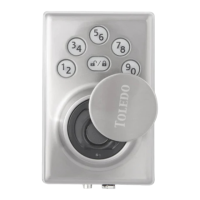
Toledo CV180BMUS15 - User Manual

Toledo CV180BMUS15
2 pages
Print Icon
To Next Page IconTo Next Page
Loading...
Programing Instructions
Model: CV180BMUS15 and CV180BMUS514
Before starting, be sure you assemble the door lock correctly.
Step # 1
Reset
Press the button for five (5) seconds until you hear three (3) beeps.
Step # 2 with deadbolt unlocked.
Door Direction Setting
+ + + - Programming Code (PC) Number
Step # 3 with deadbolt unlocked.
Delete All User Code
+ + + - Programming Code (PC) Number
Step # 4 with deadbolt unlocked.
Add New User Code
+ + + - Programming Code (PC) Number
Enter the new four (4) to ten (10) digit user code (UC) number.
Step # 5 with deadbolt unlocked.
Create a New Fingerprint
+ + + - Programming Code (PC) Number
+
Put your finger three (3) times.
Step # 6 with deadbolt unlocked.
Enable or Disable the Auto-Lock
+ + + - Programming Code (PC) Number
+
Step # 7 with deadbolt unlocked.
Customize the Auto-Lock Timer
+ + + - Programming Code (PC) Number
+
Press for 10 seconds, for 20 seconds, for 30 seconds, for 40
seconds or for 50 seconds.
Question and Answer IconNeed help?

Do you have a question about the Toledo CV180BMUS15 and is the answer not in the manual?

Summary

Programming Instructions

Reset the Lock

Resets the lock by holding the reset button for five seconds until three beeps are heard.

Set Door Direction

Configures the door direction setting by entering the Programming Code.

Delete All User Codes

Deletes all user codes from the lock by entering the Programming Code.

Add New User Code

Adds a new user code (4-10 digits) by entering the Programming Code.

Create New Fingerprint

Adds a new fingerprint by registering it three times after entering the Programming Code.

Enable or Disable Auto-Lock

Controls the automatic locking feature by entering the Programming Code.

Customize Auto-Lock Timer

Sets the duration for the auto-lock timer by selecting a specific time value.

Advanced Settings

Change Programming Code

Modifies the existing programming code by entering a new four-digit code.

Delete Single User Code

Removes a specific user code from the lock by entering the code to be deleted.

Temporary Disable All User Codes

Temporarily deactivates all user codes, requiring the programming code to re-enable.

Single Entry User Code

Creates a user code that can only be used once.

Delete Existing Fingerprint

Removes a previously registered fingerprint by selecting it for deletion.

Delete All Existing Fingerprints

Removes all registered fingerprints from the lock.

Enable or Disable Sound

Controls audible feedback for lock operations, enabling or disabling sounds.

Toledo CV180BMUS15 Specifications

General IconGeneral
BrandToledo
ModelCV180BMUS15
CategoryDoor locks
LanguageEnglish

Related product manuals