Connecting 230VAC Loads to the Generator
OPERATING INSTRUCTIONS
13
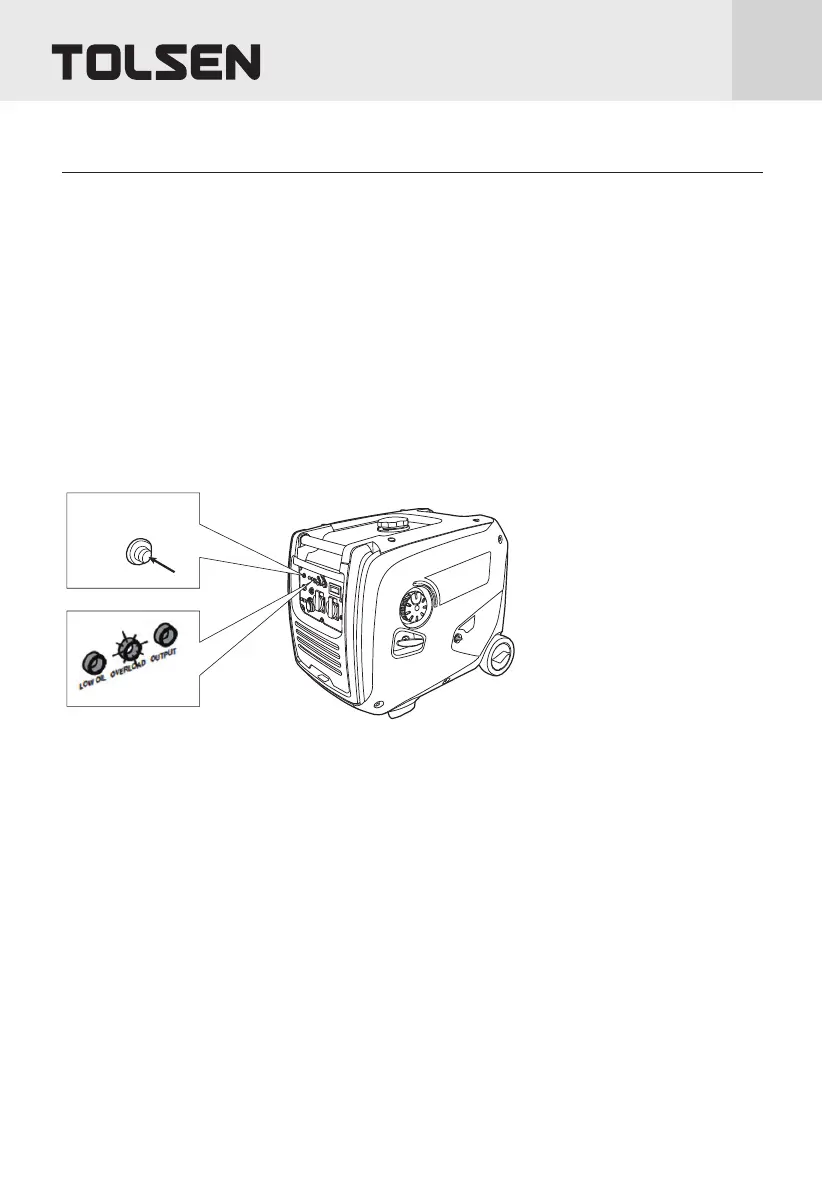
Overload Light
NOTE: The OVERLOAD light may turn on for a few seconds as a large device starts up. This is normal for
loads approaching the capacity of this Generator.
1. The total combined load through the outlet on the Generator must not exceed the running power of the unit.
2. If the OVERLOAD light turns on and the Generator stops producing power, it has been overloaded.
3. Disconnect all electrical devices, and compare device requirements to Generator rating. Move anything that may
be limiting Generator ventilation away.
4. Press and hold Overload Reset button above the Dual 120VAC Receptacle until OVERLOAD light turns off.
5. Reconnect devices while being careful to not overload Generator.
Economy (ECO) Switch
1. Turn the Economy Switch ON to limit noise and fuel consumption for lighter generator loads.
2. Turn the Economy Switch OFF to operate engine at full speed:
a. when starting,
b. when a heavy load is applied, or
c. when using the 12VDC output.
Overload
reset button


 To Next Page