coected slp trainer
1
SLEEP TRAINER CONTROLS
Connect the USB cable with
a compatible plug to your
Tommee Tippee Connected
Sleep Trainer.
2
Download the Tommee
Tippee app from Google
Play Store or Apple App
Store. Add Device and follow
on-screen steps to finish
setup.
3
After setup is complete on
the Tommee Tippee app,
use your phone or tablet to
set alarms, customise the
display or play audio files.
TOGGLE BUTTON
Adjust time format, clock and
alarm when in settings mode.
For full functionality, use the
App to automatically set time,
choose up to 4 alarms and
customise your Sleep Trainer.
SLEEP BUTTON
Press the Sleep button to
transition to “night time” mode
or double tap for “nap mode”.
To disable sleep or nap mode
at any time, press the Sleep
button.
SETTINGS BUTTON
Press and hold for 3 seconds
to enter Settings mode.
To confirm, press the
Settings button.
To exit at any time, press the
Sleep button.
CHILD LOCK
To lock the Sleep Trainer, hold
down Settings and Toggle for
3 seconds.
To disable, hold down Settings
and Toggle for 3 seconds.
QUICK START GUIDE
Mayborn (UK) Limited, Balliol Business Park, Newcastle upon Tyne, NE12 8EW, UK. Copyright © 2021.
TOMMEE TIPPEE®. Mayborn (UK) Limited retains all intellectual property rights to this product.
Google Play and the Google Play logo are trademarks of Google LLC. Apple and the Apple logo are trademarks of Apple Inc.
0423107
11080321_4

 Need help?
 General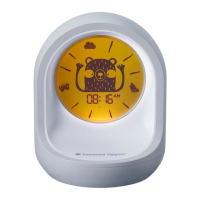

 To Next Page