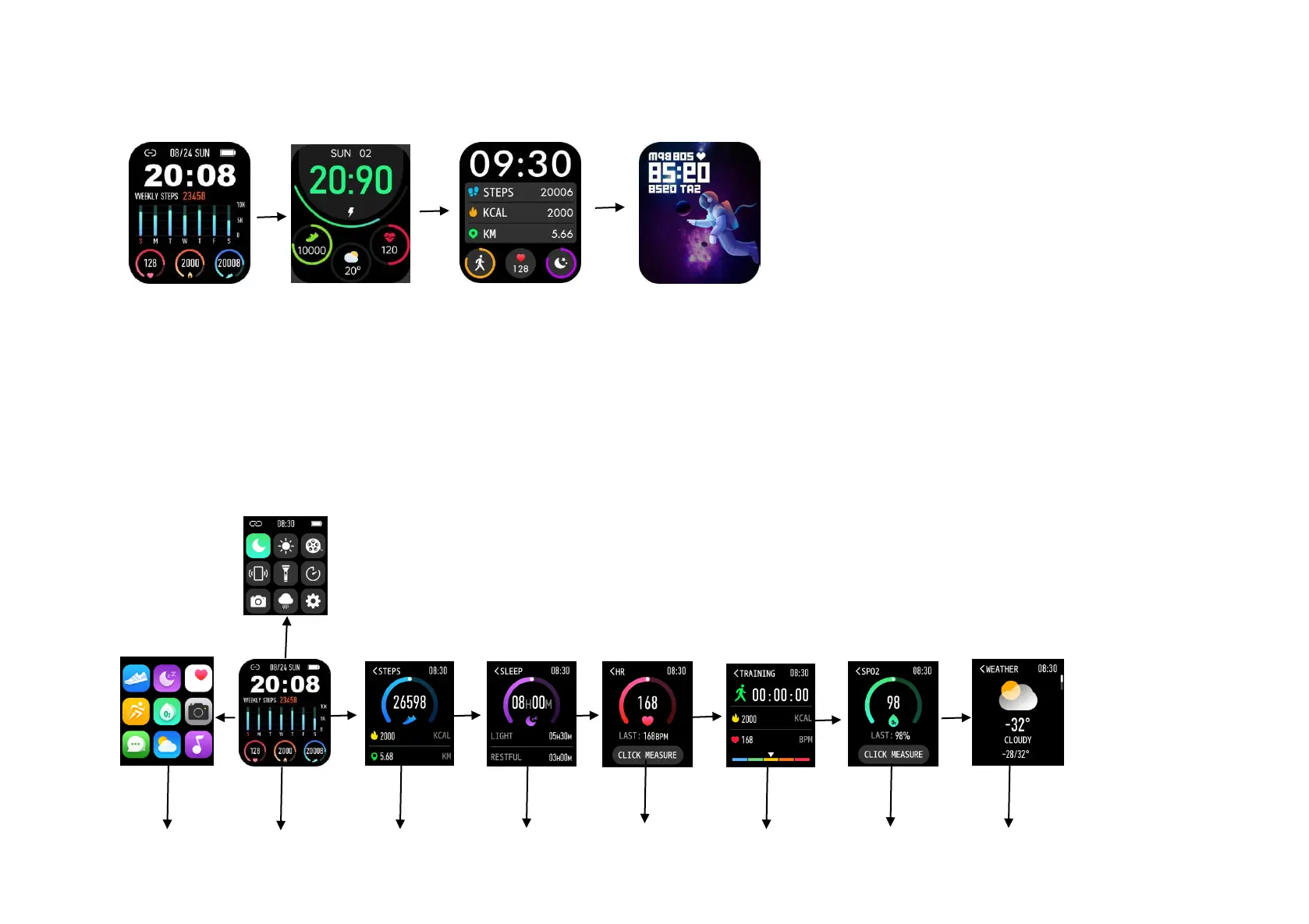
Slide Up: View information, to display SMS, Wechat, QQ, WhatsApp, twitter, ins, Facebook, etc.
Right Slide: All functions can be selected from Display Function Menu..
Left Slide: Enter the shortcut function of step counting - sleep - heart rate - exercise - blood oxygen - weather.
Slide Down: The dial interface slides from top to bottom, then the interface shows Bluetooth connection, time display, battery power, no disturb mode, brightness
display, mobile phone search, timer, photo control, weather and other shortcut functions.
Watch Function


 To Next Page
 Loading...