Brewing and Programming Outline
12
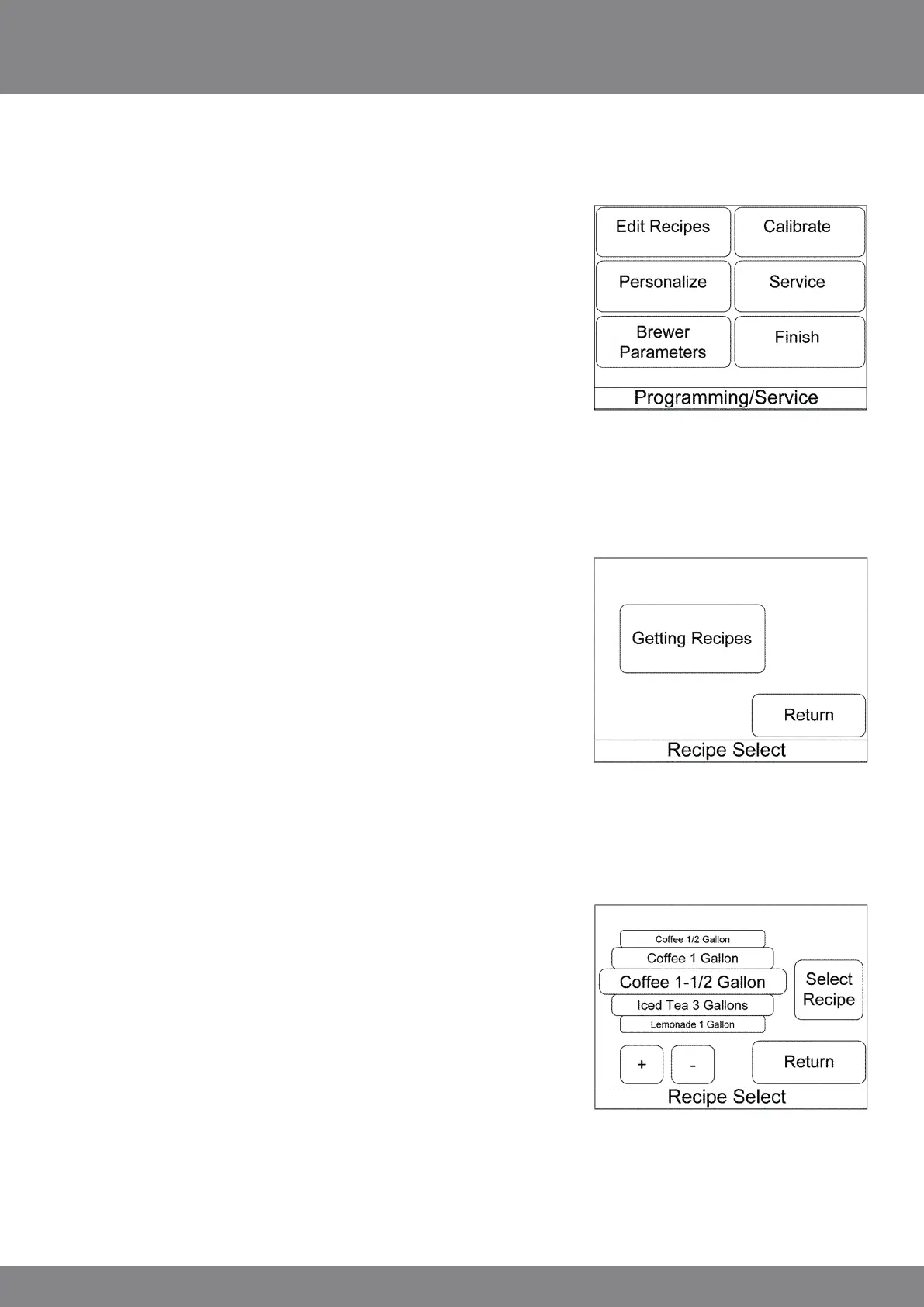
Successful password entry will bring you to the
‘Programming/Service’ menu screen. These are the categories of
programmable options. There are submenus within these items.
Pressing Finish returns you to the main selection screen.
EDIT RECIPES
Press Edit Recipes to set active status or to edit recipe
information.
The ‘Recipe Select’ screen displays “Getting Recipes” while the
recipe information is loaded into the display.
The ‘recipe select’ screen then shows the recipe names on a
rotatable wheel. The selected recipe name displayed in the
centrally located target box on the wheel may be changed by
either swiping vertically up or down over the recipe name bars or
by using the + and – key. When the desired recipe is displayed in
the target box, press the “Select Recipe” button.
You will be taken to the ‘recipe settings’ summary screen for the
recipe selected.



 To Next Page