19
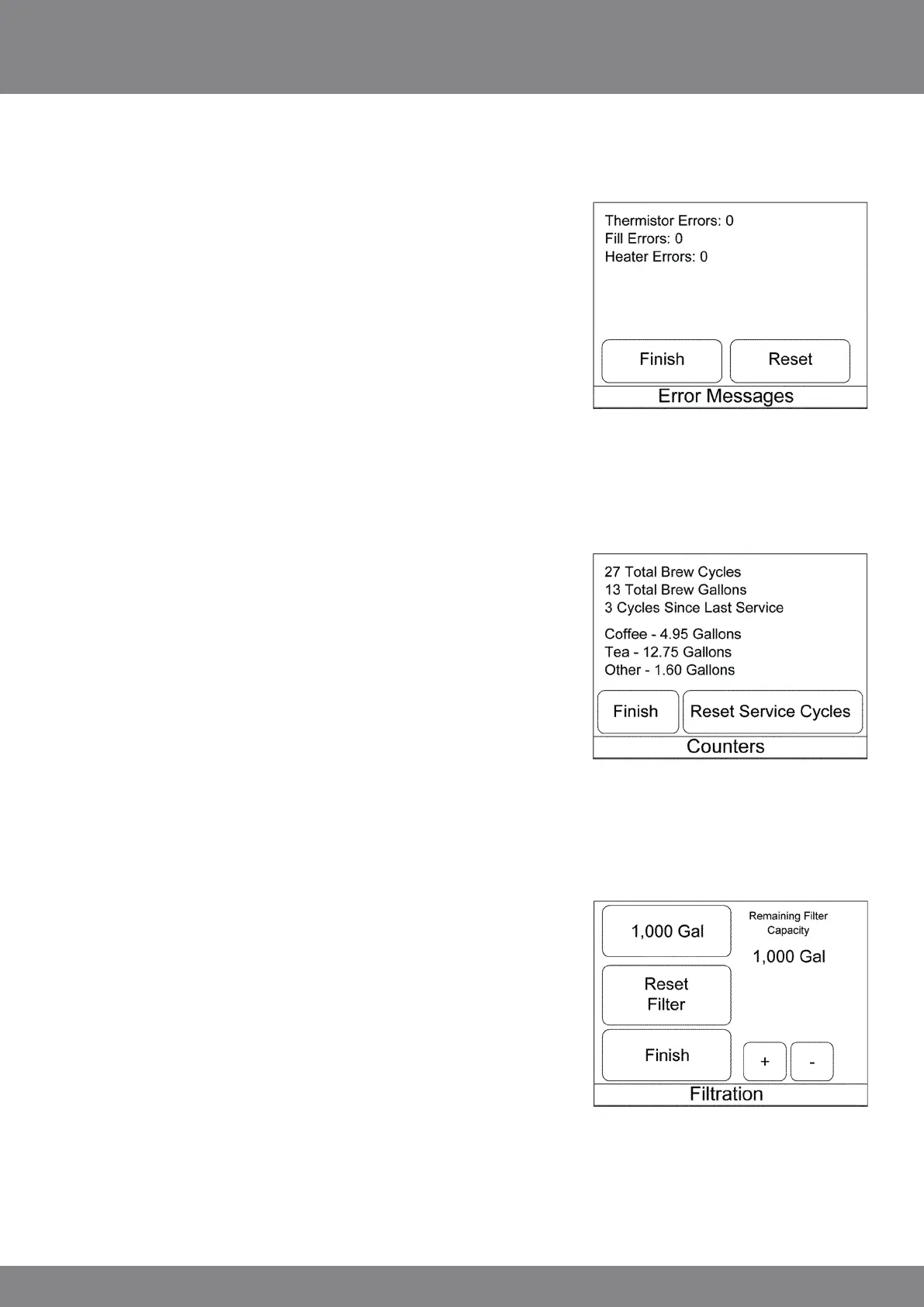
Press “Error Messages” to display a historical list of error messages.
Some errors may be intermittent due to various conditions and do
not necessarily cause the brewer to shut down. Press “Reset Errors”
to reset the error count to zero. Press finish to return to the service
screen.
Press the “Counters” key to display the ‘counters’ screen. The
total cycles and gallons are non-resettable. Press the “Reset
Service Cycles” to reset the other counters. Press the finish key
to return to the ‘service’ screen.
Press the “Filtration” key to enter the “Filtration” screen. Press
the top left button to cycle between the various selections for
the filter size or use the + and – keys. Press the “Reset Filter” key
to reset the filter capacity. Press finish to return to ‘service’ screen.
The service password is fixed and may not be changed and is
greyed out.
Press finish again to return to the ‘programming/service’ screen.
Then select finish to exit programming.



 To Next Page