ENG - 5
QUICK START
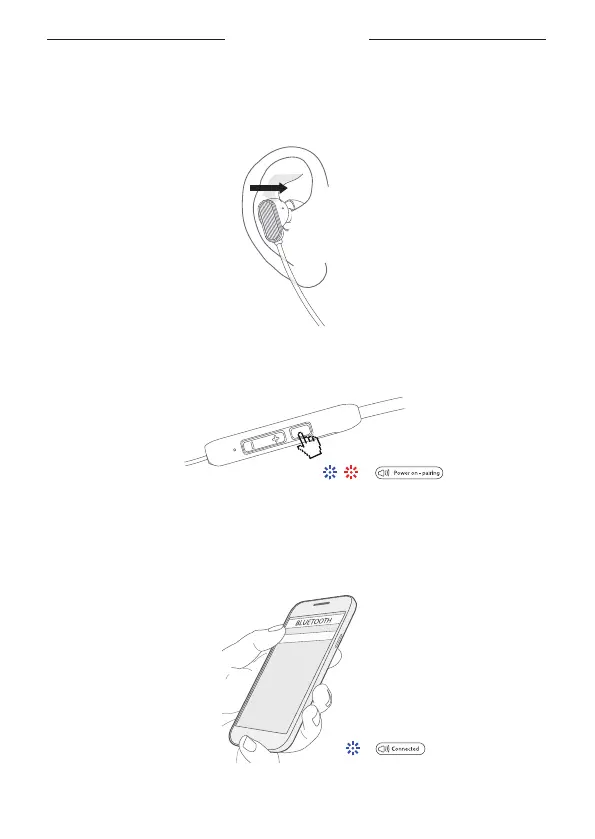
Carefully insert into your ear and adjust the angle.
The “L” icon indicates that the earbud should be worn on your le ear
The “R” icon indicates that the earbud should be worn on your right ear
1.
Press and hold the mul-funcon buon 3 to 5 seconds unl the indicator LED
blinks red and white.
2.
Turn on Bluetooth on your devices and choose TONEMAC N183.
Enjoy your music aer the indicaon voice "Connected" and the LED blinks white.4.
TONEMAC N18



 To Next Page