EasyManua.ls Logo

TopCold GK60 - Keys Function; Keys Operation

TopCold GK60
9 pages
Print Icon
To Next Page IconTo Next Page
To Previous Page IconTo Previous Page
Loading...
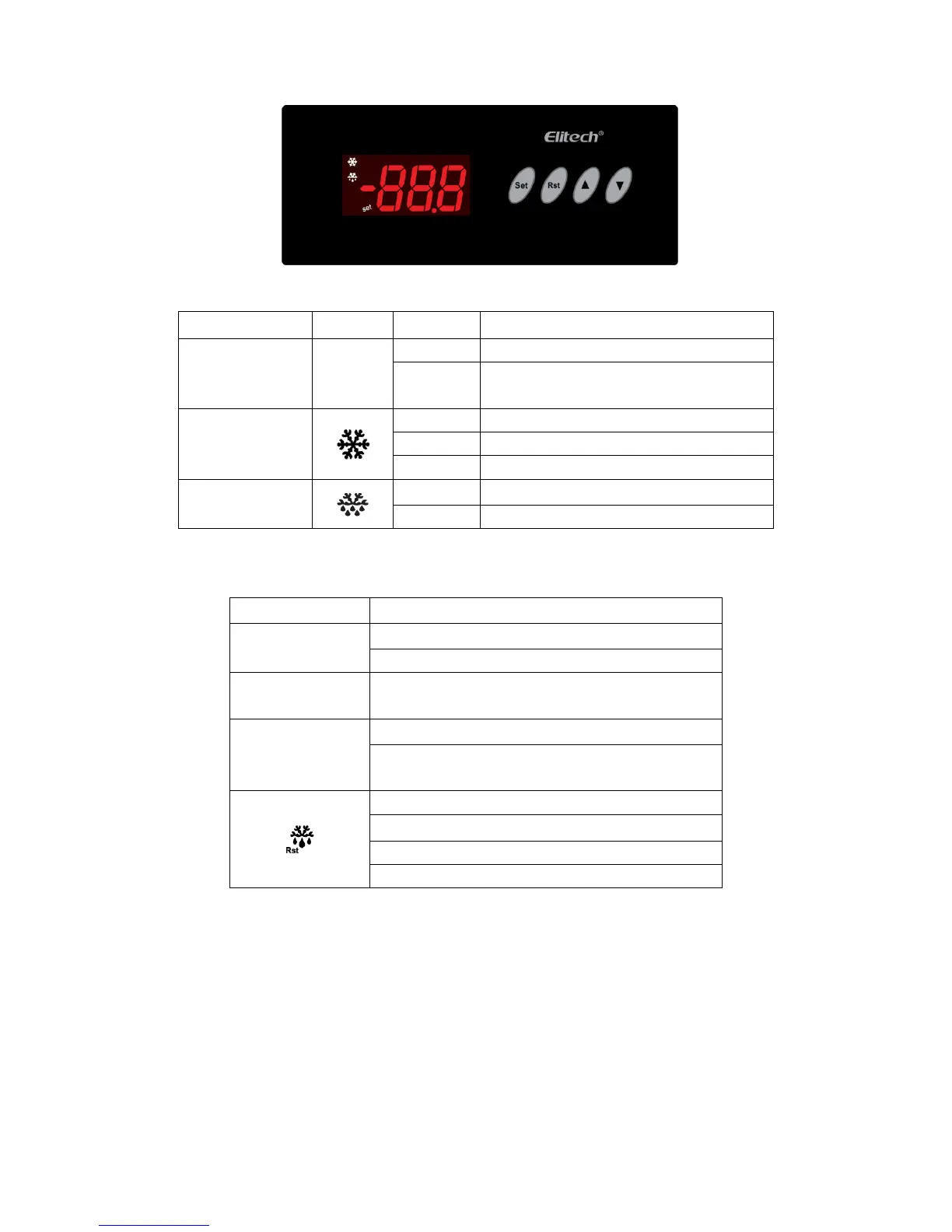
4. Indicator light status description
Indicator light
Symbol
Status
Meaning
Setting
Set
ON
Parameter setting
OFF
Status of temperature measuring and
controlling
Refrigeration
ON
Refrigeration work
OFF
Refrigeration stop
FLASH
Refrigeration time delay
Defrost
ON
Defrost work
OFF
Defrost stop
5. Keys function
5.1 Key description
Keys
Function
Set
Enter the status of parameter setting
Switch between menu and parameter
Adjust menu and parameters; open/close
lighting
Adjust menu and parameters
Press more than10 to execute parameter
one-key recovery
Exit from parameter setting
View evaporator sensor temperature
Press 3s to start forced defrost
Exit from one-key recovery status
5.2 Keys operation
6.2.1 Parameter adjustment
In the status of temperature measuring and controlling, press Set key for three seconds to enter user
menu, display St, press Set key again, display the parameter value of St, then you could set
temperature value by pressing or key.
When display St, press key, display Po, press Set key, display 00, then press or
to input the menu password of administrator. After finishing input, press Set key, display Po. The
controller will automatically verify the correctness of password, if correct, then it enters to administrator
menu, press orto select all parameter items StPoC1C2……U3; if password incorrect, the
controller will only stay at the parameter of St and Po, and it could not display other parameters items.