15
TOPCOM BD-4620
ENGLISH
*Specifications are subject to change without notice.
16 Care and maintenance
• Keep the Unit in the storage case when not in use.
• Clean the unit with a soft dry cloth. do not use any abrasive or volatile cleaner.Do
not clean the body and cuff with naphtha, thinner or gasoline etc.
• Do not wet the cuff or attempt to clean the cuff with water. Never immerse the unit
or any components in water.
• Store the unit in a clean and dry location. Do not subject the unit to extreme hot or
cold temperature, humidity and direct sunlight.
• Remove the batteries if the unit will not be used for 3 monthes or longer. Always
replace both of the batteries with new ones at the same time.
Avoid subjecting the monitor to strong shocks or vibrations, such as dropping
the unit on the floor.
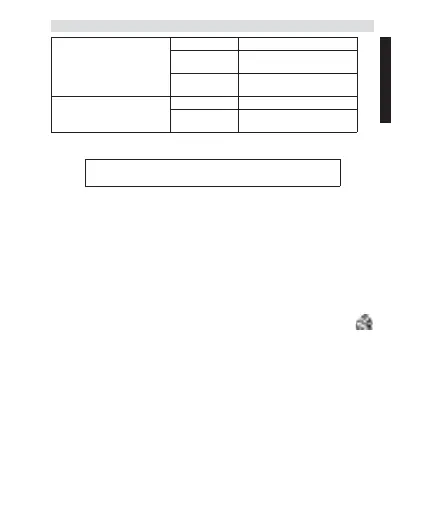
Operating
Environment
Temperature 10~40.. (50 ~ 104 F )
Humidity 15 ~ 90%RH
(Noncondensing)
Barometric Pres-
sure
80~105 kPa
Storage
Environment
Temperature -20~60.. (-4 ~ 140 F )
Humidity 10 ~ 95%RH
(Noncondensing)
The CE symbol indicates that the unit complies with the
essential requirements of the directive 93/42/EEC.


 To Next Page