13
TOPCOM BPM WRIST 3301
ENGLISH
13 TIME ADJUSTMENT
To adjust the time:
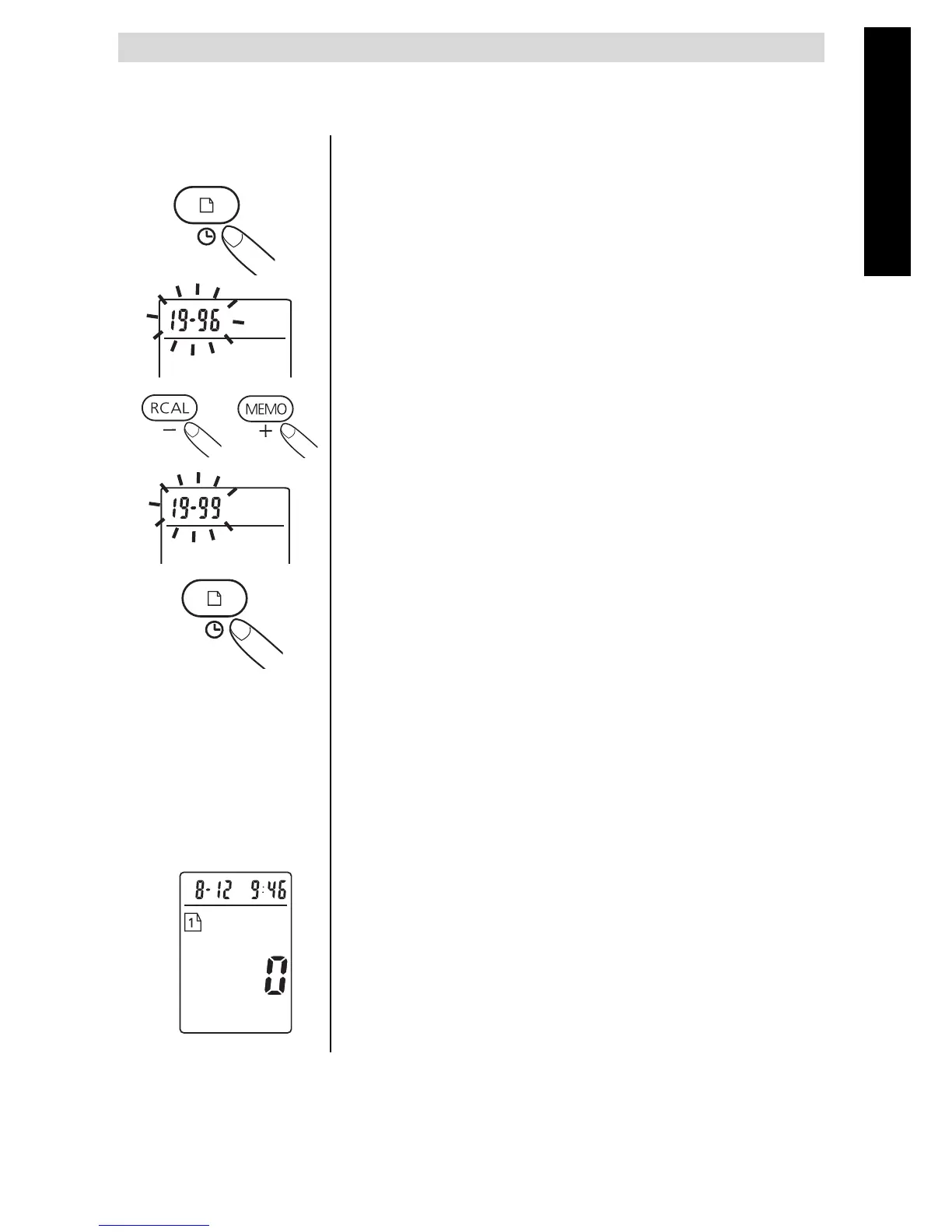
• While the Blood Pressure Monitor is
turned on, press and hold the PROGRAM
button for 3 seconds until the date/time
disappears.
• Release the PROGRAM button, the
display will show a blinking number
showing the year.
• Change the year using the MEMO or the
RECALL button.
• Press the PROGRAM button again to
confirm the entry, and the screen will show
a blinking number representing the month.
• Change the date and time as described in
Step2 above, using the MEMO or RECALL
button to change and the PROGRAM
button to confirm every setting.
• After setting the minutes, a "0" will
reappear as the BloodPressure Monitor is
ready for measurement.


 To Next Page