6 TOPCOM HB 2M00 & 2F00
5 SETTING TIME AND BEEP ON / OFF
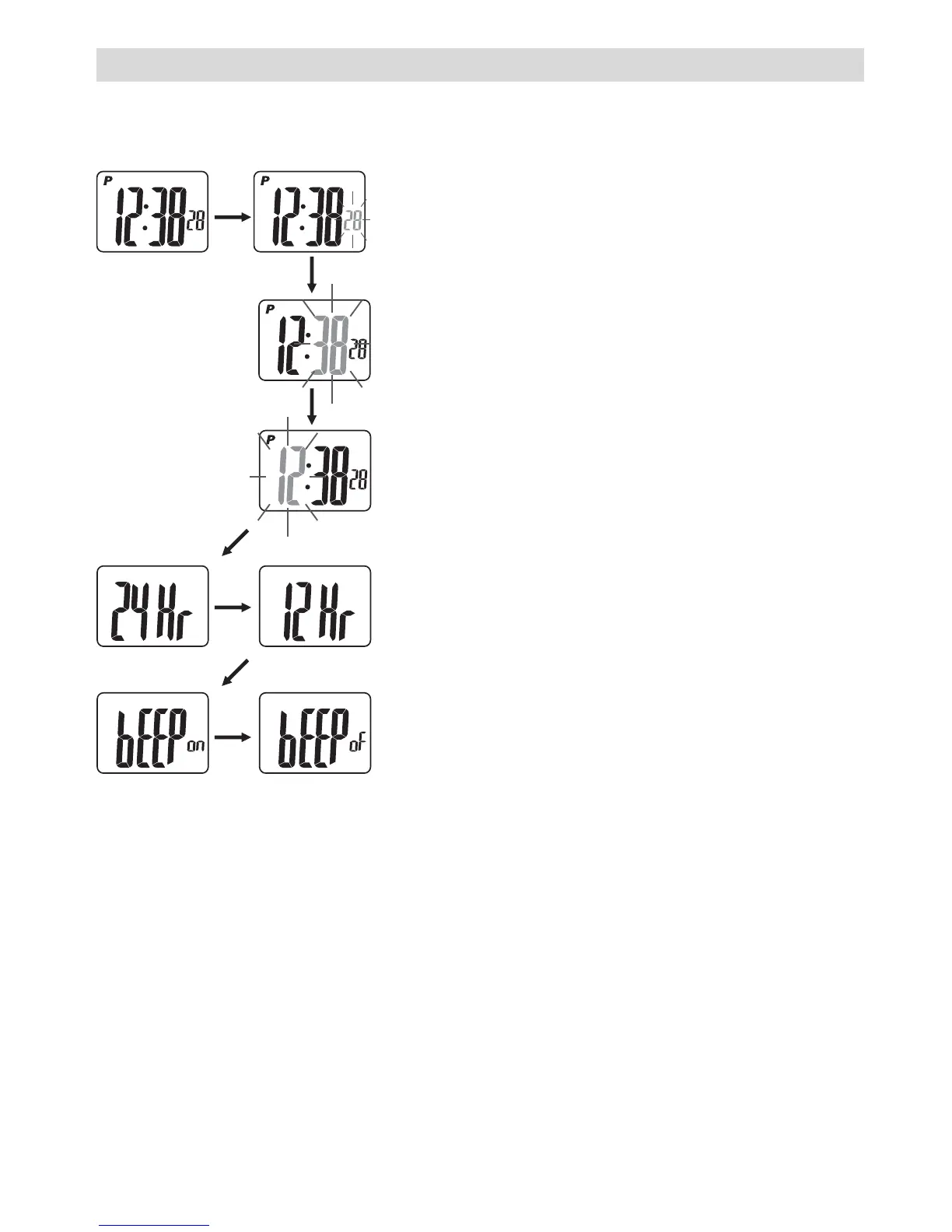
In normal time mode (time on display):
• [S2]: Seconds will blink.
• S3 or S4: Set seconds to zero.
• S2: Confirm. Minutes will blink.
• S3 or S4: Adjust minutes up or down.
[S3] or [S4]: Adjust minutes quickly.
• S2: Confirm. Hour will blink.
• S3 or S4: Adjust hour up or down.
[S3] or [S4]: Adjust hour quickly.
• S2: Confirm.
• S3 or S4: To set the time format in 12HR
or 24 HR.
• S2: Confirm. Beep will blink.
• S3 or S4: To set beep on (ON) or off (OF).
• S2: Confirm.
• [S2]: To leave the setting.



 To Next Page