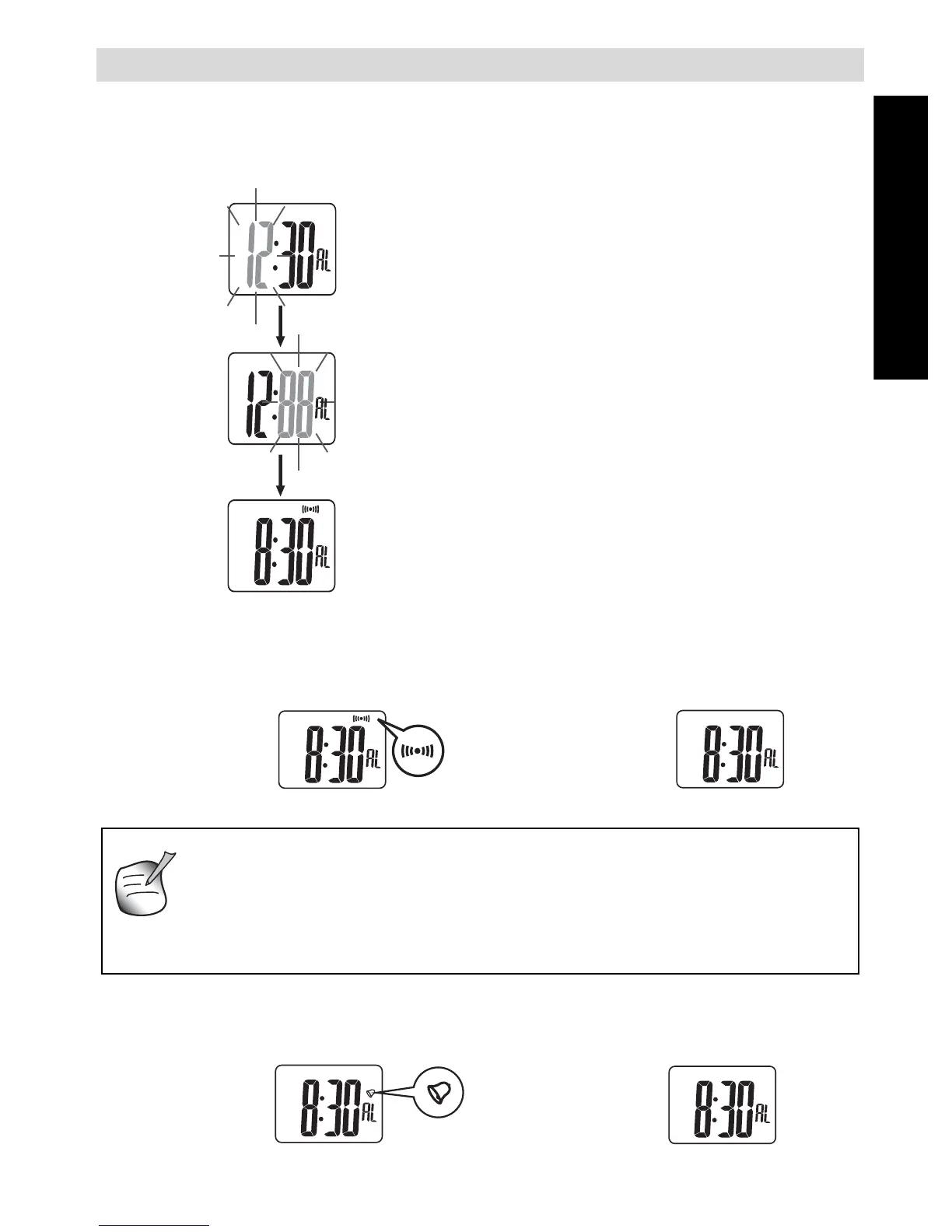
6 SETTING ALARM TIME AND HOURLY CHIME
6.1 SETTING
In normal time mode (time on display):
• S2: To toggle to alarm mode.
• [S2]: Hour will blink.
• S3 or S4: Adjust hour up or down.
[S3] or [S4]: Adjust hour quickly.
• S2: Confirm. Minutes will blink.
• S3 or S4: Adjust minutes up or down.
[S3] or [S4]: Adjust minutes quickly.
• [S2]: To confirm the setting of the alarm
time .
6.2 ACTIVATE / DEACTIVATE ALARM
In alarm mode:
6.3 ACTIVATE / DEACTIVATE HOURLY CHIME
In alarm mode:
S3: Alarm on S3: Alarm off
S4: Chime on S4: Chime off
1. If the alarm time has been adjusted, alarm turns ON auto-
matically.
2. When the alarm is ON, the watch sounds at the alarm time.
3. When the alarm rings, press any button except S1 to stop
the alarm.



 To Next Page