4
BEFORE THE FIRST USE
WARNING!
• Only connect the unit to the USB port with a “AAA” recharge-
able NiMh battery installed. Do not charge this unit through the
USB port when a regular “AAA” alkaline battery is installed.
• Do not short circuit & dispose of in re.
• Remove the battery if this device is not going to be used for a
long period.
• “All batteries used must be the same type. Do not mix
alkaline, standard (carbon-zinc) or rechargeable (cadmium)
batteries.”
• Do not mix old and new batteries.
• The KL-4330 will charge the installed battery when connected
to the USB port.
• Remove the security screw by a screwdriver.
• Open the battery cover.
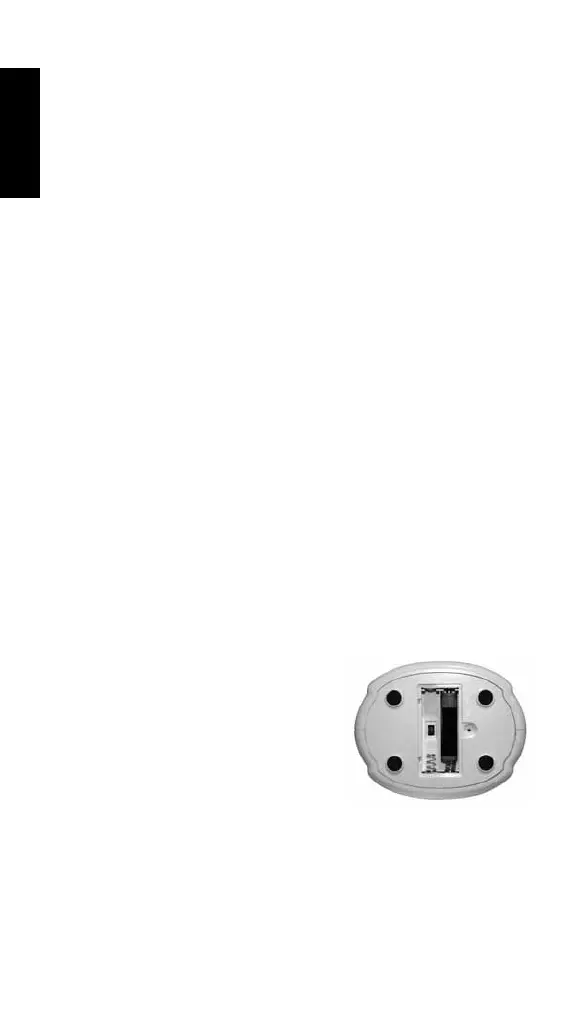
• Install 2 AAA NiMH- batteries following the polarity as shown.
• Close the battery compartment and re-install the security
screw.
ONLY USE RECHARGEABLE AAA NIMH BATTERIES NOT
INCLUDED.
USE
MAX / MIN BUTTON
The memory of the maximum and minimum temperature and
humidity.
RESET BUTTON
Press and hold for 2 seconds to erase the memory.
NIGHT LIGHT SWITCH
“The night light On/O switch is located
inside the battery compartment. Set
the switch to position On to activate the
night light function.
TOUCH SENSOR
The touch sensor is located at the top of
the bear. Each touch is on or o.
CLEANING AND MAINTENANCE
• Clean the appliance with a damp cloth. Never use harsh and
abrasive cleaners, scouring pad or steel wool, which damages
the device.
• Never immerse the device in water or any other liquid. The
device in not dishwasher proof.
ENGLISH


 To Next Page