6
Twintalker 7100 Sport Pack
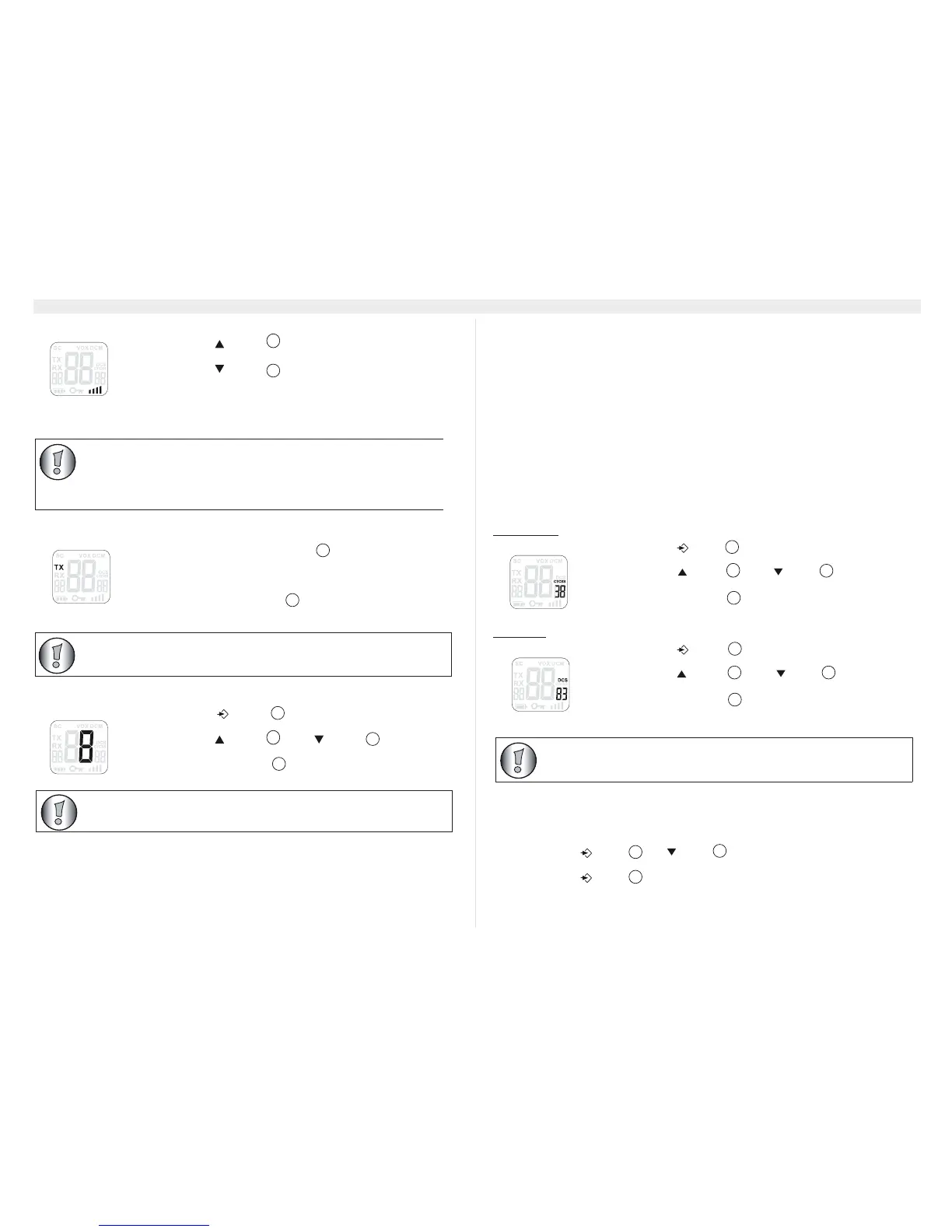
13.3 Adjusting Speaker Volume
13.4 Receiving a Signal
The unit is continuously in the receive mode when the unit is switched ON and not transmitting.
13.5 Transmitting a Signal
13.6 Changing Channels
13.7 CTCSS (Continious Tone Coded Squelch System) /
DCS (Digital Coded Squelch)
License free PMR radio's operating on the 446 MHz frequency band, like the Twintalker 7100
PMR, have 8 available radio channels. If there are many PMR users in your neighborhood, there
is a chance that some of these users are operating on the same radio channel.
To prevent that you receive signals from other users, sub-channels have been integrated.
Two PMR radio's will only be able to communicate with each other when they are operating on
the same radio channel and when they have selected exactly the same sub-channel.
There are two kind of sub-channels :
• Continuous Tone Coded Squelch System (CTCSS)
• Digital Coded Squelch (DCS)
When using CTCSS, a low frequency tone (between 67 and 250 Hz) will be transmitted along
with the voice signal. There are 38 available tones to choose from. You are free to choose one
of these 38 available tones. Due to filtering, these tones will generally not be audible so they will
not disturb the communication.
DCS is similar to CTCSS, but instead of sending a continuous tone of a selected frequency, a
digital data transmission is added to the radio signal. This Digital Code is transmitted at a really
low rate, around 134 bits per second (the code is 23 bits long). Only the PMR's of the latest
generation will support DCS. There are 83 available DCS codes that can be used. Since earlier
models will only support CTCSS it will be better to use DCS to prevent that other users will be
audible during your PMR conversations.
13.7.1 CTCSS
13.7.2 DCS
13.8 Monitor
You can use the monitor feature to check for weaker signals in the current channel.
• Press the -button and -button simultaneously to activate channel
monitoring.
• Press the -button to stop channel monitoring.
• Press the - button in stand-by-mode to increase the
speaker volume. The volume level is displayed.
• Press the - button
to decrease the speaker volume.
• Press and hold the PTT - button to transmit. The TX
symbol is displayed.
• Hold the unit in a vertical position with the microphone 10cm
from the mouth and speak into the microphone.
• Release the PTT - button
when you want to stop
transmitting.
• Press the - button once, the current channel
number flashes on the display.
• Press the - button or the - button to change
the channel.
• Press the PTT - button to confirm and return to stand-by
mode.
If no button is pressed within 5 seconds during setting, the unit will return
to standby.
• Press the -button twice : "CTCSS" and the current
CTCSS code flashes on the display.
• Press the -button or the -button to change to
another code.
• Press the PTT-button to confirm and return to stand-by
mode.
• Press the -button three times : "DCS" and the
current DCS code flashes on the display.
• Press the -button or the -button to change to
another code.
• Press the PTT-button to confirm and return to stand-by
mode.


 To Next Page
 Loading...