EN
16 17
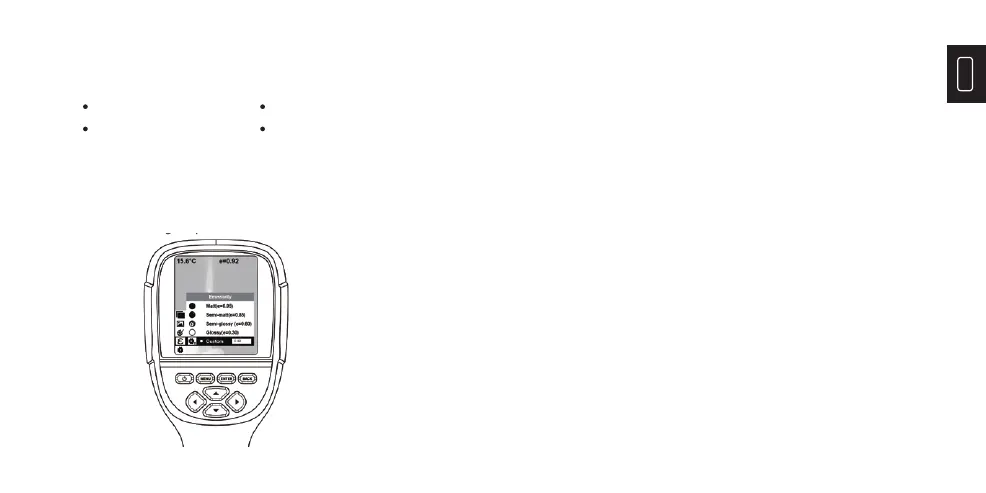
The product is provided with 4 types of object
measurement modes:
Coarse object (0.95) Semi-matte object (0.85)
Semi-shiny object (0.60) Shiny object (0.30)
3.2 Emissivity Setting
According to the characteristics of the measured
objects, users may set the emissivity value through
the “self-defi ne” option (please refer to the table of
“emissivity of common materials”).
The operating step is as the following:
The operating step is as the following:
1) Press “MENU” and select “emissivity” option and press
“
▼
“to enter.
2) Press “▲” and “▼”to select the emissivity. Then press
“ENTER” key to determine selection of the emissivity.
3) Press “
▼
” or ”BACK” to return.
Note: If you select “self-defi ned” emissivity, press the
“ENTER” to enter the editing state. Press “
▼
” / “
▼
” to select
the number to be changed, press “▲” “▼”to change the
value. After the modifi cation is completed, press “ENTER”
to confi rm.


 To Next Page