EN I 13
Temperature Correction
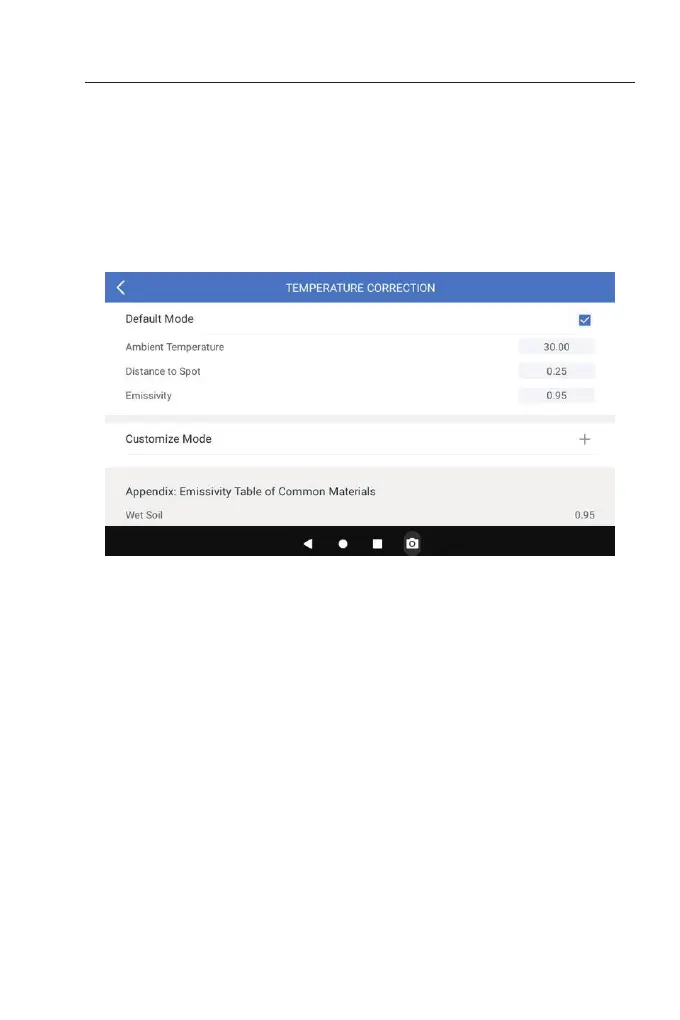
To ensure accuracy of measurement in different scenarios, this
module allows you to set Ambient Temperature, Distance to Spot
and Emissivity in default mode, or add custom modes and set the
corresponding parameters.
Nine commonly used emissivity values are listed on the screen for
reference.
Please go to "Personal Information" and tap "Temperature
Correction" to enter the setting screen.
Figure 3.4.1


 To Next Page