EN I 7
Item Description
Long press to power ON/OFF; short
press to wake up/lock the screen.
Whenever the screen lights up, long
press to enable the thermal imaging
software; after the software is enabled,
short press to take a photo.
Mounts the TC003 onto a tripod
/
/
Used for charging, le transfer, OTG
functions, or using the thermal
imaging function on a computer.
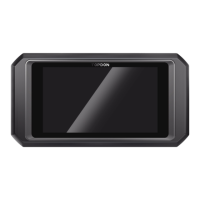
1. Power Button
2. Thermal Imaging Button
3. Screw Hole (1/4-20 unc)
4. Speaker
5. Visible light camera,
infrared camera, and
ashlight
6. USB Type-C Port
Notes:
1. With the OTG function, you can connect the TC003 unit to
USB ash drives, industrial borescopes, oscilloscopes, and more.
2. To ensure the system runs smoothly, installation of non-
TOPDON apps is blocked on the TC003 unit. If you need to
install non-TOPDON apps, please contact support@topdon.
com for help.


 To Next Page
 Loading...