014 | EN
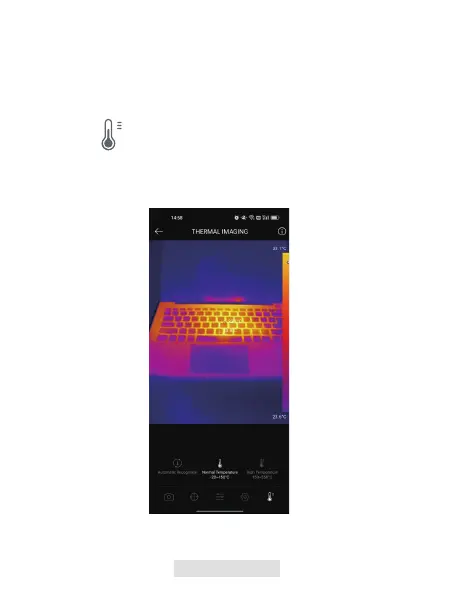
Tap to display temperature range options.
1.
Select Automatic Recognition/-20~150℃ (-4~302 ℉ )/150~550℃
(302~1022 ℉ ) according to your actual needs.
2.
Figure 3.2.6
To better display the details of the object, please select an appropriate
temperature range according to the expected temperature of the object you
are inspecting.
Temperature Range Setting



 To Next Page