Section 3
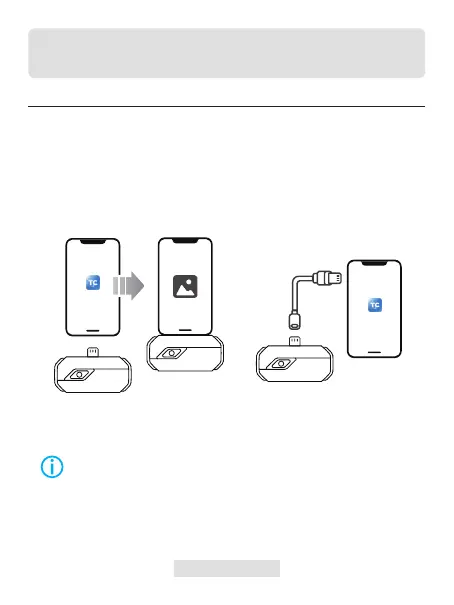
Figure 3.1.1 Figure 3.1.2
Using TC002 with an iOS Device
Preparation
Download and install the TC002 app
Connect the TC002 camera to your iPhone or another iOS
device that contains a lightning port.
1.
2.
Go to APP Store and search TC002.
Plug the TC002 into your iOS device directly (see gure 3.1.1).
Or you can use the supplied extension cable to connect the TC002 to
your iOS device (see gure 3.1.2).
Note:
1) If you are using the supplied extension cable, make sure you connect
the cable female side to TC002 before connecting the cable male side
to the iOS mobile device.
2) The iOS device should be equal to or greater than iOS 11 or iPhone 7.
007 | EN
TC002
TC002



 To Next Page