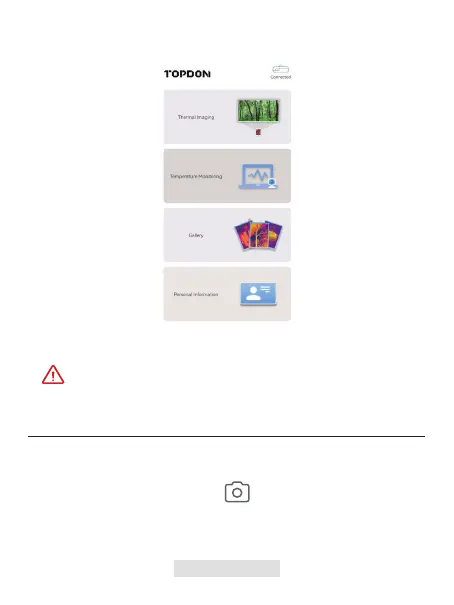
Open the TC002 app. The icon at the top right of the home screen
displays "Connected" (see gure 3.1.3).
3.
At the bottom of the bar, tap to enter the photo/video
recording screen.
1.
Tap the camera button in the center of the bottom of the screen to take
and save a snapshot.
2.
Make sure the camera and storage permissions are enabled for the
TC002 app before use.
Taking Photo/Video
Thermal Imaging
Figure 3.1.3
008 | EN



 To Next Page