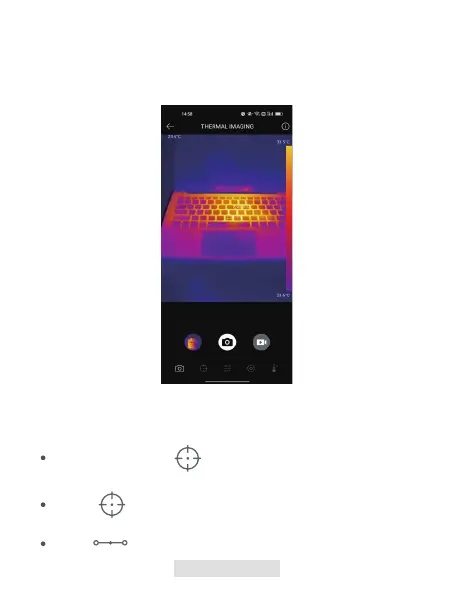
Tap the record button in the lower right of the screen to switch to video
mode. Tap again to start and stop recording.
3.
To view the saved images/videos, tap on the thumbnail in the lower left
corner (see gure 3.2.1).
4.
Figure 3.2.1
At the bottom bar, tap to display measurement tool selections.
Select to add a point of reference.
Select to add a line (for hot spot and cold spot detection).
009 | EN
Adding/Removing Measurement Tools



 To Next Page