15
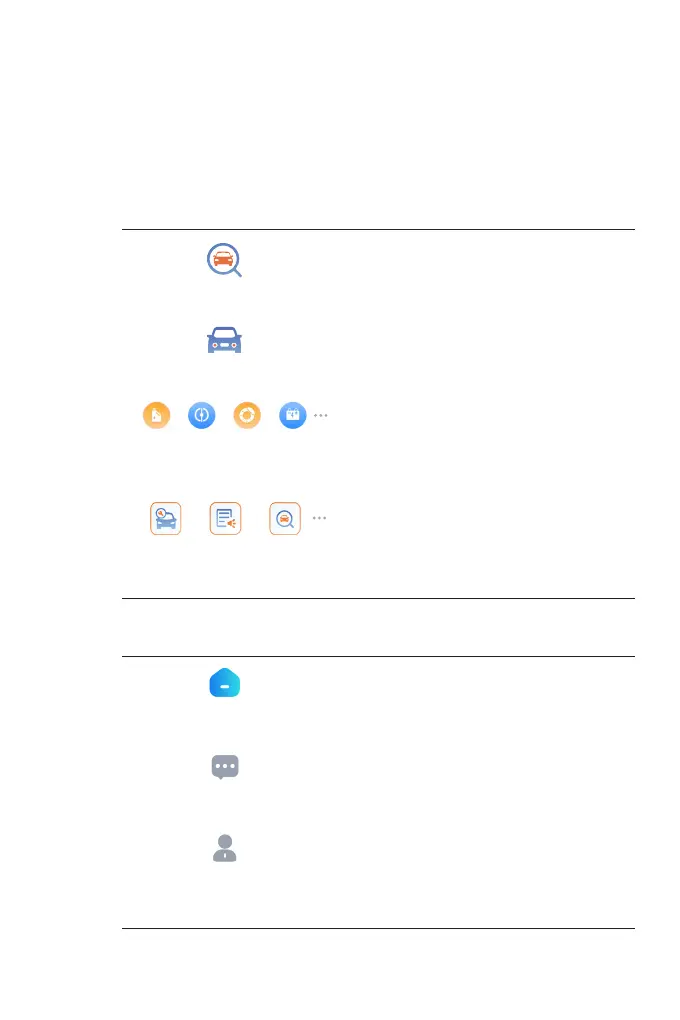
1. Currently Selected Vehicle
2. Image of the Selected Vehicle
3. Vehicle Selection
Selecting the icon opens the vehicle selection screen.
4. Function Icons
5. Toolbar
Congures the TopScan to operate as
a scan tool.
Selecting this icon returns you to the
home screen.
Allows you to perform acceleration
tests on your vehicle.
Selecting this icon opens the
message screen.
Provides 8 maintenance services.
Provides access to recorded data
streams, diagnostic reports, user
manual, VCI management, rmware
update, vehicle management,
account prole, FAQ, and settings.
Includes DTC Repair Guide, Technical
Service Bulletins, DLC Location and
Warning Light Library, which provides
reference information on vehicle
inspection, diagnostics, and repair.
Diagnostics
Home
Vehicle Performance Test
Messages
Maintenance
Me
Repair Information


 To Next Page