25
Report - tap to save the current data stream values in report
format. To view the saved reports, go to Me > Diagnostic Report.
Each entry of the list shows the name and the current value of the
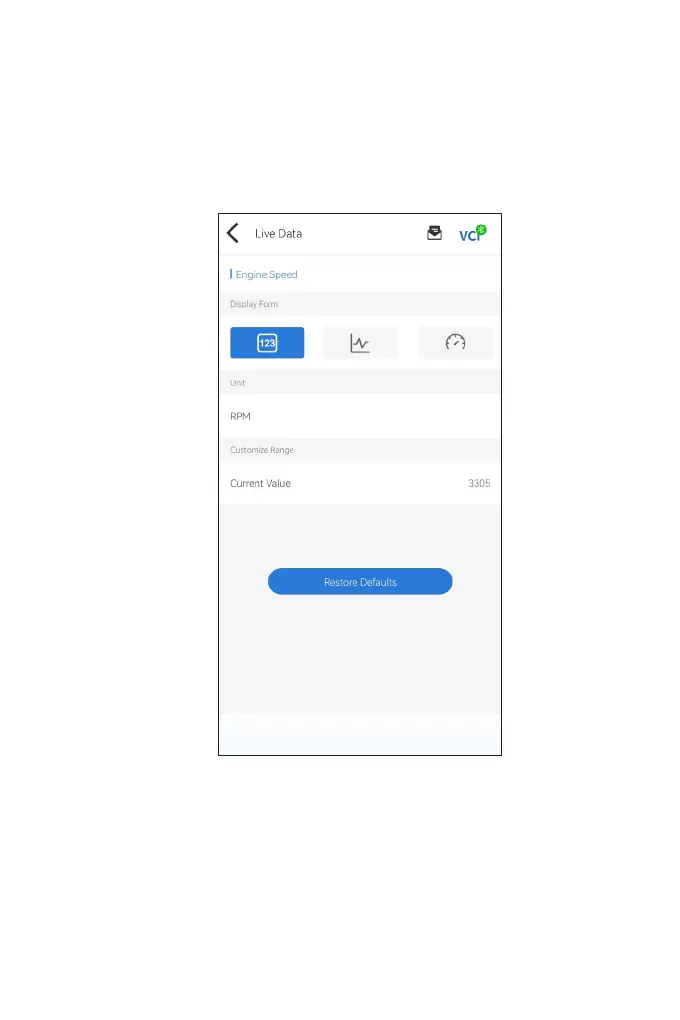
data stream. You can tap the dots at the side of each entry to enter
the setting screen. The data stream can be viewed in value, graph,
or gauge format (see Figure 4-10).
Figure 4-10



 To Next Page