24
Read Data Stream
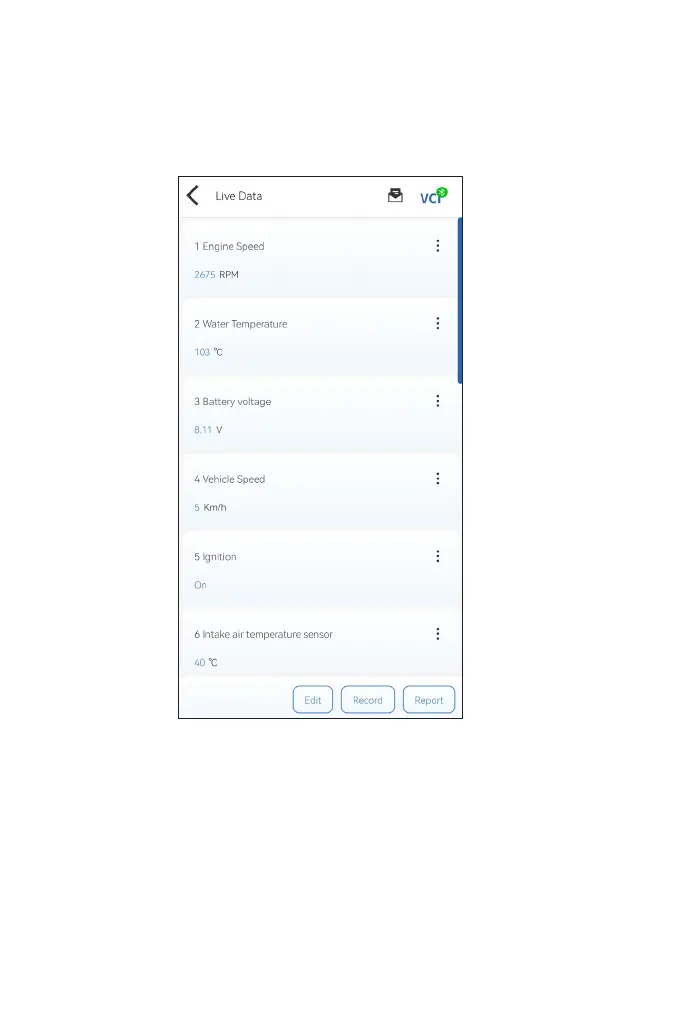
To view data stream for the currently selected system:
1. Tap Live Data in the function menu.
A data stream list displays.
Button Description
Edit - allows you to customize your data stream list. Select the
check box of the data stream you are interested in viewing and tap
Conrm.
Record - allows you to record and save data stream information
for comparison and analysis. To view the saved data stream
information, go to Me > Data Stream.
Figure 4-9


 To Next Page