43
4.7 Update
4.8 Settings
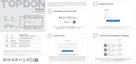
4.7.1 Diagnostic Software Update
The installed vehicle-specic software can be seen on the software
download page. When a new version is available, an Update button
will display. Tap the button to update the software.
4.7.2 Firmware Update
Tap Me > Firmware Update to update the rmware if a new version
is available.
4.7.3 TopScan App Update
Tap Me > Settings > About > Check for Updates. If there are
updates, tap to update the app to the latest version.
The Settings function provides general setting options including
language setting, password changing, unit setting and cache
clearing, and allows you to view the version information of the app.
To access the setting options:
Tap Me at the bottom of the home screen, and then tap Settings.
The setting screen will display.


 To Next Page