42
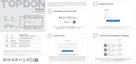
4.5.1 DTC Repair Guide
4.5.2 Technical Service Bulletins
4.5.3 DLC Location
4.5.4 Warning Light Library
The DTC Repair Guide is an experience-based database of generic
OBD-II DTCs, which provides code-specic information, including
popular xes and repair steps for identifying faults.
To use the DTC Repair Guide:
Tap Repair Information > DTC Repair Guide. Enter a DTC in the
search bar to search.
To view technical service bulletins:
Tap Repair Information > Technical Service Bulletins. Select
vehicle make, model, year, system and subsystem, and tap Next. A
list of OEM technical service bulletins issued for the selected vehicle
will display. Tap the desired option to view the full content.
To view DLC location:
Tap Repair Information > DLC Location. Select vehicle make, model
and year, and tap Next. A picture of the DLC location for the selected
vehicle will display.
The Warning Light Library provides information on dashboard
warning lights, including light descriptions, impacts on driving,
typical causes, responsive measures and relevant FAQs.
To use the Warning Light Library:
Tap Repair Information > Warning Light Library. A list of warning
lights will display. Tap the desired option to view the details.
4.5 Repair Information
4.6 Vehicle Management
This function allows you to delete the downloaded vehicle-specic
diagnostic software.
1. Tap Me at the bottom of the home screen, and then tap Vehicle
Management.
2. Select the software that you want to remove, and tap Delete.


 To Next Page