4 5
EN
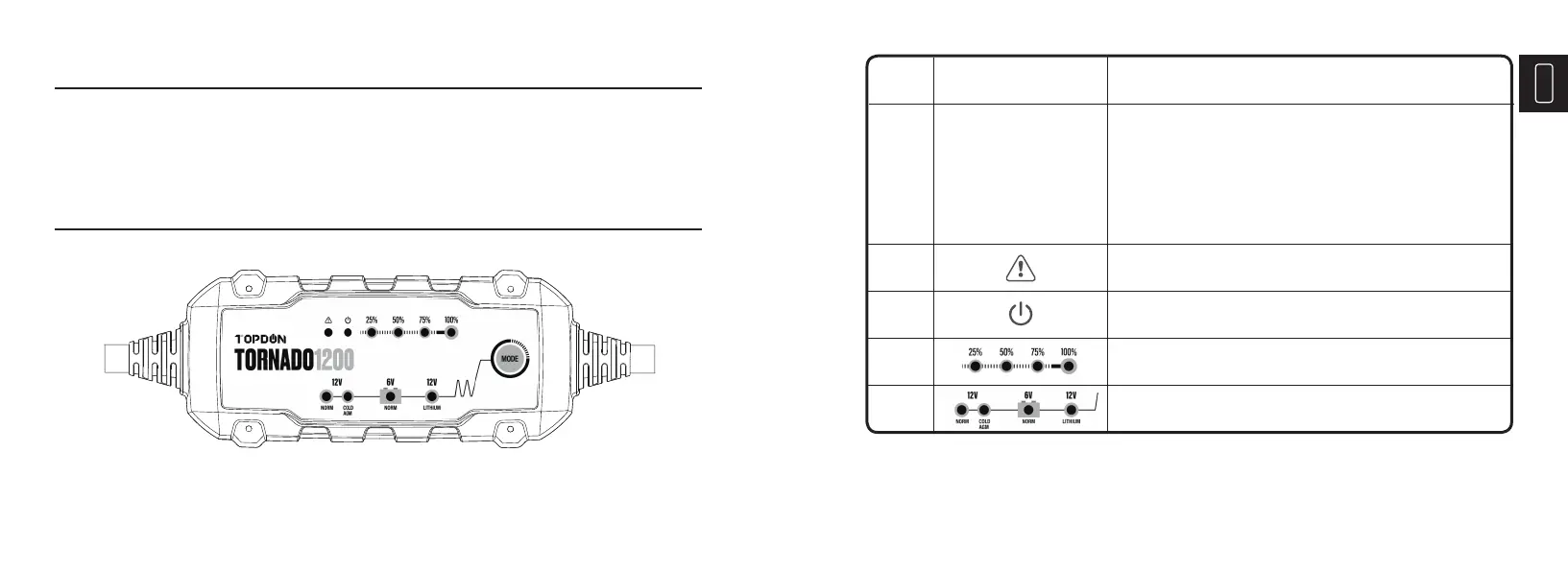
Features
NO. Name Descriptions
2
3
4
5
Solid Blue LED indicates the charger is in Standby Mode:
not charging or providing any power to the battery.
Indicates the connected battery’s SOC (State of Charge).
Indicates the Charge Mode.
1
Solid Red LED indicates a potential error has happened.
• Press it twice to select the mode.
• Press it once to start the charging after the selection.
• Hold it for 6 seconds to start the forced charging, if the
selected battery’s voltage is < 1V.
• Press it once to end the process while charging.
Mode Button
Notice
This Product Manual is subject to change without written notice.
Read the instructions carefully and use the unit properly before operating. Failure to do so may
cause damage and/or personal injury, which will void the product warranty.



 To Next Page