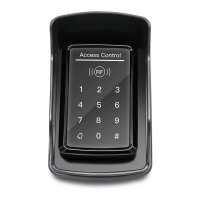
card and input corresponding PIN to open the door, within 5 seconds, long press
# until the green lights flash fast. and then input new PIN # new PIN # ,
new PIN will be changed successfully with a long buzz.
6.10 How to Delete User by Input User ID NO.
# Programming Password # 42 input User ID No. #
6.11 How to Delete User by Input Card NO.
# Programming Password # 43 input card No. #
6.12 How to Delete User by Input Access Password (PIN)
# Programming Password # 44 (3-6 digits access password) #
6.13 How to Delete All Access Password (PIN) Users
# Programming Password # 45 1111 #
6.14 How to Change Open Time
# Programming Password # 5 XX #
NOTE: XX can be 2-digit, and the max. is 99. If input 00, the signal output time is
0.2 Second.
6.15 How to Set Open Mode
# Programming Password # 6 XX #
NOTE: XX can be 01(only card)/ 02(card or Access Password)/ 03(card+PIN)
6.16 Reader Setting (For options)
# Programming Password # 6 04 #
NOTE: The machine can be used for reader(W26 output)
6.17 Security Function Setting, Anti-dismantle Alarm Setting (For options)
# Programming Password # 7 XX #
NOTE: XX can be 01/ 02( Security function OFF/ON) and 03/04(Anti-dismantle
alarm OFF/ON). Security Function ON means System would be locked for 5
Minutes if continue to read illegal card or input wrong Access Password for 10
times.
6.18 Backlight setting(For options)
# Programming Password # 8 XX #
NOTE: XX can be 01/02 (Normal ON / Normal OFF)
6.19 How to Reset Factory Default Setting
# Programming Password # 8 99 #
NOTE: Except Programming Password.
7. Reset to Factory Programming Password(123456)
Step1: Power off the keypad and connect pin 2&3 of RST together.
Step2: Power on the keypad and buzzer will give 3 long buzz with green light flashes


 To Next Page
 Loading...