EasyManua.ls Logo

Topfield TF3000FEi - User Manual

Topfield TF3000FEi
50 pages
Print Icon
To Next Page IconTo Next Page
Loading...
The User’s Manual
Please read this Users Manual carefully.
The menu structure and specification can be changed without noti
ce.
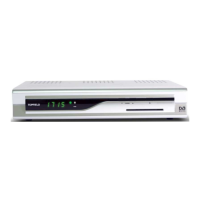
TF3000Fi
TF3000FEi
FREE TO AIR
Digital Satellite Receiver
TOPFIELD
- Non-SCART model
- SCART model

Questions and Answers

  • K
    Kenneth MeltonJul 31, 2025
    What to do if there is no picture or sound on my Topfield Receiver?
    • D
      Dr. Debbie SmithJul 31, 2025
      If you're experiencing a lack of picture and sound, several factors could be the cause. First, the satellite dish may not be correctly aligned with the satellite, resulting in a weak or absent signal. You should adjust the dish and verify the settings within the channel search submenus. Also, inspect the cable connections to ensure they are secure. A faulty LNB could also be the culprit, requiring replacement. Finally, ensure that the receiver is not in UHF mode; if it is, exit UHF mode.
  • A
    andrew39Aug 7, 2025
    Why is my Topfield TF3000FEi Receiver remote control not working?
    • J
      Jane MurphyAug 7, 2025
      If the remote control unit (RCU) isn't working, the possible causes are: * The batteries may be depleted; replace them. * The RCU might not be aimed correctly at the Topfield Receiver; ensure you are aiming it properly. * The STB might be in standby mode; switch to normal mode.
  • S
    Stephanie HillAug 15, 2025
    How to fix overlapping broadcasts on Topfield TF3000FEi Receiver?
    • J
      Jerome StokesAug 15, 2025
      If you're experiencing overlapping broadcasts, the channels may not be configured correctly in RF mode. To resolve this, set the channels in the RF mode under the A/V setting of the Menu between channels 21 and 69 on your TV.
  • S
    Shane CampbellAug 22, 2025
    How to fix a Topfield TF3000FEi Receiver when nothing appears on the front panel?
    • J
      johnsonamandaAug 22, 2025
      If nothing appears on the front panel of your Topfield Receiver, the main power cable might not be connected properly. Check that the main power cable is securely plugged into the power socket.

Summary

WARNINGS AND SAFETY

Mains Supply Precautions

Details on safe power connection and voltage requirements for the STB.

Overloading Precautions

Guidance on avoiding overloaded outlets and extension cords to prevent fire or shock.

Liquid Handling Precautions

Instructions to keep the appliance away from liquids and prevent dripping or splashing.

Small Objects Safety

Warning about keeping small objects away from ventilation slots to prevent damage.

Cleaning Instructions

How to safely clean the exterior of the IRD using a dry cloth.

Ventilation Guidelines

Importance of maintaining airflow around the decoder and avoiding heat sources.

Attachments Policy

Advisory against using unrecommended attachments that may cause damage.

Satellite Dish LNB Connection

Procedure for connecting the satellite dish LNB safely, disconnecting power first.

Servicing Information

Instruction to refer all servicing to qualified service agents.

Lightning Safety

Recommendations for safeguarding equipment during lightning storms.

Earthing Requirements

Importance of earthing the LNB cable to the system earth.

Location Recommendations

Advice on proper placement to prevent damage from elements.

INTRODUCTION

FEATURES

FRONT AND REAR PANELS

Front Panel Overview

Details on the front panel indicators (LEDs) and controls.

Rear Panel Connections

Description of rear panel connectors for Non-SCART and SCART models.

REMOTE CONTROL UNIT (RCU)

RCU Button Functions

Explanation of various buttons on the remote control unit and their operations.

INSTALLATION AND CONNECTION

Non-SCART Model Connections

How to connect the receiver to TV, VCR, and Hi-Fi using CINCH/RF cables.

SCART Model Connections

How to connect the receiver to TV and VCR using SCART cables.

Connecting to Other Equipment

Procedures for connecting to other A/V equipment or satellite receivers.

GETTING STARTED

FUNCTION GUIDE

Information Box Display

How to view program information, signal level, and channel details.

Electronic Program Guide (EPG)

Using the EPG to navigate program schedules and make reservations.

Subtitle and Soundtrack Options

How to select subtitle languages and audio modes (Stereo, Mono).

Teletext Functionality

Accessing teletext via VBI insertion or software emulation.

MENU OPERATIONS

System Setting

Configuring local time, timers, parental controls, language, and A/V outputs.

Channel Management

Organizing, renaming, locking, skipping, and deleting channels.

Favorite Channel Management

Adding, deleting, and managing favorite channel lists.

Installation and Setup

Configuring LNB, dish settings, and performing channel searches.

Information and Calendar

Checking IRD status, system information, and viewing the calendar.

Game Features

Accessing and playing embedded games like Block, Poker, and Bricks Lay.

TROUBLESHOOTING (Q&A)

SPECIFICATIONS

STB Specifications

Detailed technical specifications for the satellite receiver.

Channel Processing Specifications

Technical details on tuning, modulation, and FEC.

Audio and Video Specifications

MPEG audio and video decoding standards and resolutions.

RF Modulator and Power Supply

RF modulator features and power supply requirements.

Topfield TF3000FEi Specifications

General IconGeneral
TypeDigital Satellite Receiver
Tuner TypeDVB-S
Tuner1
EPGYes
TeletextYes
SubtitleYes
Parental LockYes
TimerYes
Video DecoderMPEG-2
Weight1.5 kg
DiSEqC1.0
Video OutputRGB
Audio OutputStereo
ConnectivityRS-232
Power SupplyAC 230V, 50Hz
Software UpgradeVia RS-232
ConnectorsSCART
Audio DecoderMPEG-1 Layer I/II
LNB Power13/18V

Related product manuals