Need help?
Do you have a question about the Topfield TF5100PVRc and is the answer not in the manual?
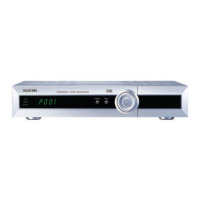
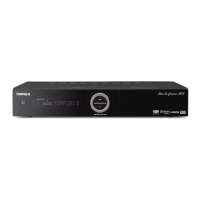
Details the features of the TF 5100 PVRc digital receiver.
Explains operation via remote control and front panel buttons.
Describes the Common Interface (CI) slot for conditional access modules.
Lists the items included with the digital receiver.
Provides essential safety guidelines for using the digital receiver.
Details the various input and output ports on the rear of the receiver.
Guides on connecting the receiver to broadcasting sources and appliances.
Instructions for connecting the receiver to the cable broadcasting signal.
Recommendations for connecting the receiver to a TV for optimal quality.
Instructions for connecting the receiver to a VCR.
Steps for initial setup, including remote control and power-on.
Procedure for inserting batteries into the remote control.
Guides on turning on the receiver and verifying the picture.
Configures menu, audio, and subtitle languages for the receiver.
Adjusts TV standard, colour, aspect ratio, and sound output.
Sets the local time for accurate timer event functionality.
Enables blocking of content based on age ratings and PIN.
Customizes OSD transparency, info box display, and position.
Enables and explains the time shift functionality for live TV.
Scans for available TV and radio channels using various search modes.
Restores the receiver to its default factory configuration.
Adjusts the audio volume level for the receiver.
Guides on navigating channels, favourite lists, and program information.
Displays all available TV and radio services.
Manages and selects user-defined favorite service groups.
Shows details like program name, time, and classification symbols.
Chooses available audio language tracks for a program.
Chooses available subtitle language tracks for a program.
Accesses teletext pages for additional service information.
Displays current and scheduled program information.
Selects different perspectives for multifeed broadcasts.
Explains how to pause, rewind, and replay live TV.
Describes how to watch two services simultaneously on one screen.
Guides on creating, renaming, and managing favourite service lists.
Explains the usage of the virtual keyboard for text input.
Details how to transfer receiver settings to another unit via RS-232.
Covers instant, timer, and scheduled recordings using the EPG.
Starts recording the current program immediately.
Records the current program, including previously watched parts.
Sets the receiver to record programs at specific future times.
Uses the EPG to set timer events for recording.
Records content while using the time shift feature.
Instructions for recording scrambled (pay) service programs.
Manages recorded files: play, move, delete, rename, lock, and sort.
Removes recorded files from the receiver's storage.
Arranges recorded files by name, time, or size.
Protects recordings from unauthorized playback with a PIN.
Changes the file name of a recorded program.
Creates new folders to organize recorded files.
Organizes recordings by moving them between folders.
Instructions for playback, including detailed information and tricks.
Controls playback position using the progress bar and jump functions.
Adjusts playback speed for slow-motion viewing.
Adjusts playback speed for fast-motion viewing.
Marks specific points in a recording for easy navigation.
Enables repeated playback of entire recordings or specific segments.
Plays multiple selected recordings continuously.
Playback instructions for recorded pay service programs.
Allows cutting parts like commercials from recordings.
Copies recorded files in whole or in part.
Enables playback of MP3 audio files from the receiver.
Guides on transferring recorded files to/from a computer via USB.
Deletes all data on the hard disk drive for a fresh start.
Instructions on how to run Topfield Application Programs (TAPs).
Verifies current firmware details before updating.
Updates firmware using a USB cable and transfer utility.
Updates firmware using an RS-232 serial cable and transfer utility.
Transfers firmware from one receiver to another using RS-232.
 General
| Storage | Internal HDD |
|---|---|
| Hard Drive Capacity | 160 GB |
| EPG | Yes |
| Recording | Yes |
| Recording Format | MPEG-2 |
| Time Shift | Yes |
| Video Output | Composite, S-Video |
| Audio Output | Stereo |
| Connectivity | USB |
| Conditional Access | Common Interface |
| Connectors | SCART |


 To Next Page