66 Entertainment
Selecting a character
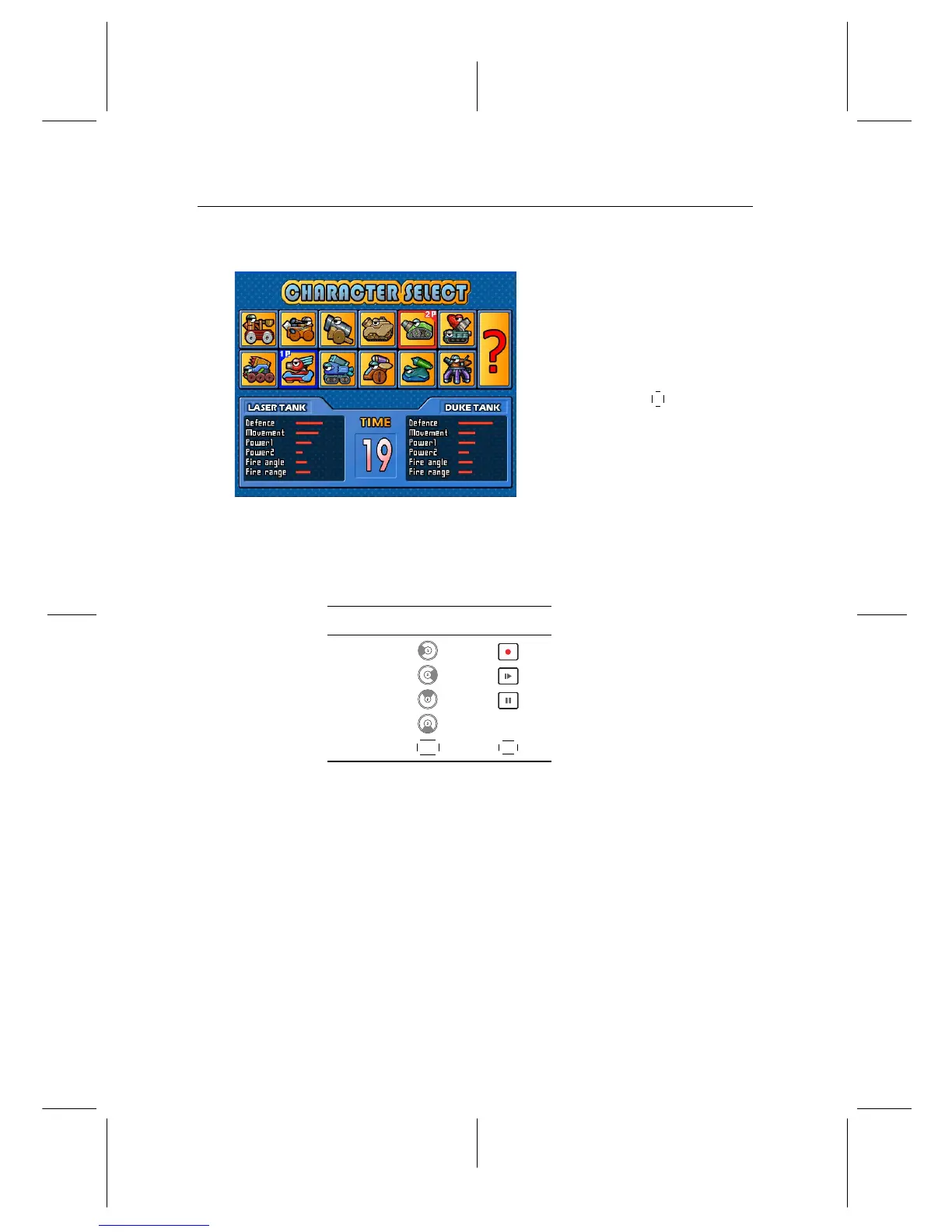
After selecting game mode, you
should see a screen like the left
figure.
Select a character referring to Ta-
ble 8.1.
If you select the
? , a character
will be chosen randomly.
When you play the game for the first time, you can select only
two characters. To get a new character, you have to play in
single mode and clear all 13 stages.
Table 8.1: Buttons for selection
Action 1 Player 2 Player
Left
Right
Up
Down startbutton
Select
OK
F2
You can see the selected character’s information of the 1 Player
on the left bottom of the screen. Also you can see the selected
character’s information of the COM or 2 Player on the right bot-
tom of the screen. You have to select a character in 30 seconds;
otherwise, the character will be selected automatically.


 To Next Page